
How to Create New Traffic Types?

12.06.2026

Traffic types are labels you use to categorize routes and connections in the platform. Creating your own types lets you organize traffic the way that makes sense for your business.

How to Create a Traffic Type

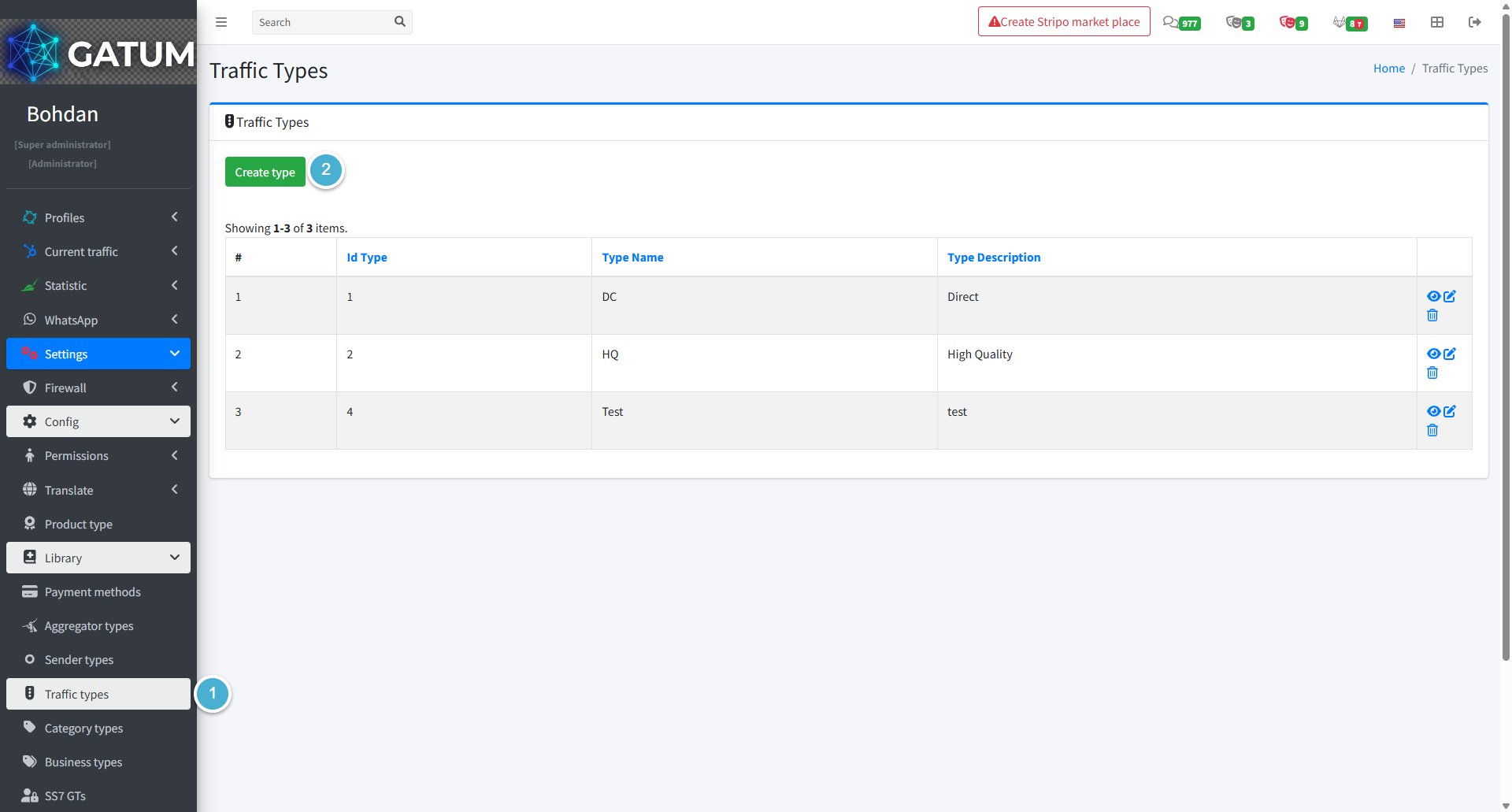
Go to Settings → Config → Library → Traffic Types.

Click Create Type:

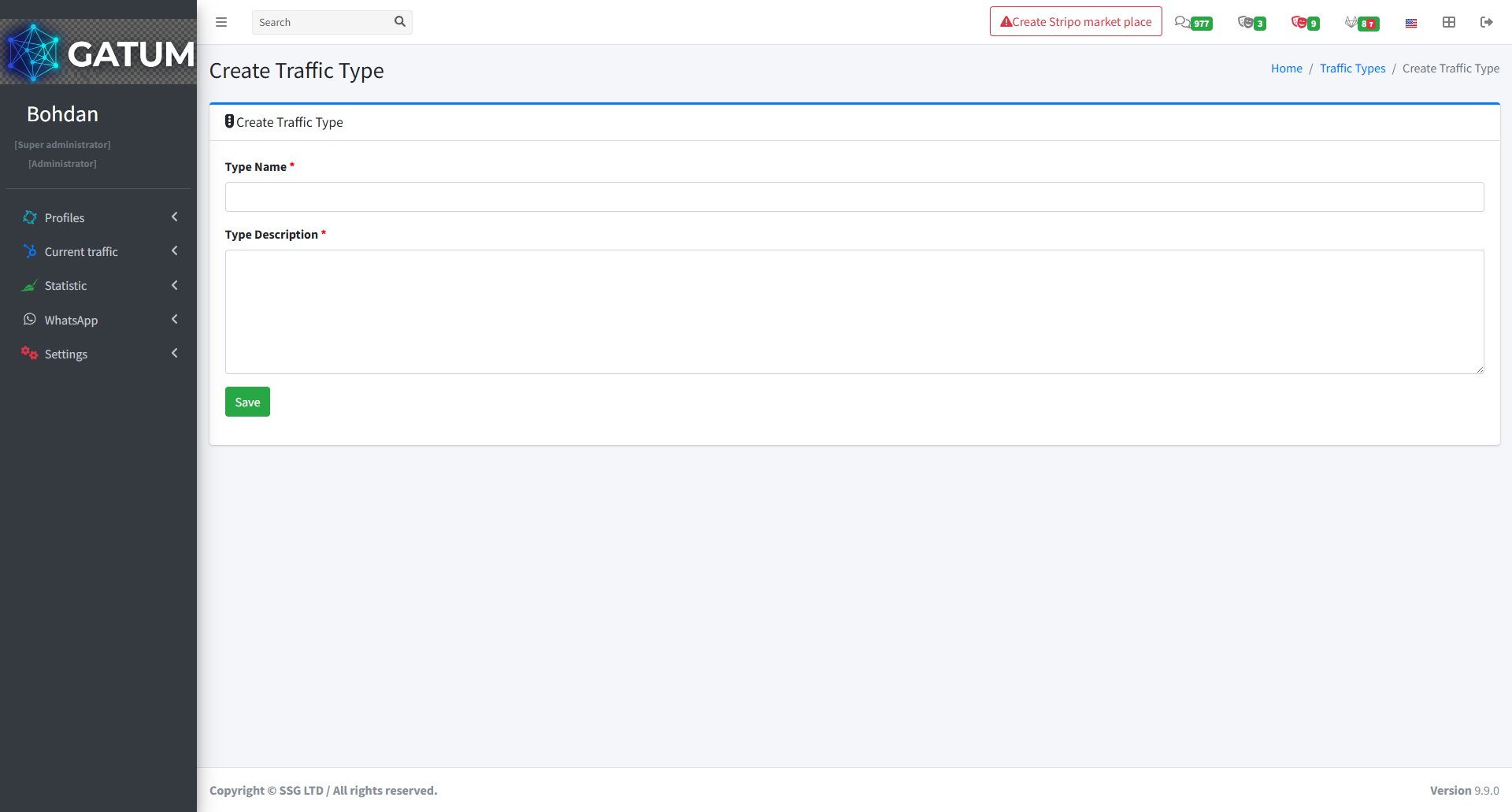
On the page that opens:

Fill in the fields:

Field

Description

Type Name

A short name for the traffic type (e.g. DC, HQ)

Type Description

A brief explanation of what this type represents

Click Save.

You'll be taken back to the Traffic Types list where your new type will appear.