SMS full data gives you a complete record of every message sent through the platform – including delivery status, pricing, aggregator details, and the original message content. It is the primary place to investigate individual messages, verify billing, and troubleshoot delivery issues.
ⓘ SMS full data stores messages for the last 5 days by default. Older records are not available on this page. If you need a longer retention period, contact Gatum support.
Search and Browse Messages
Go to Current traffic → SMS full data.
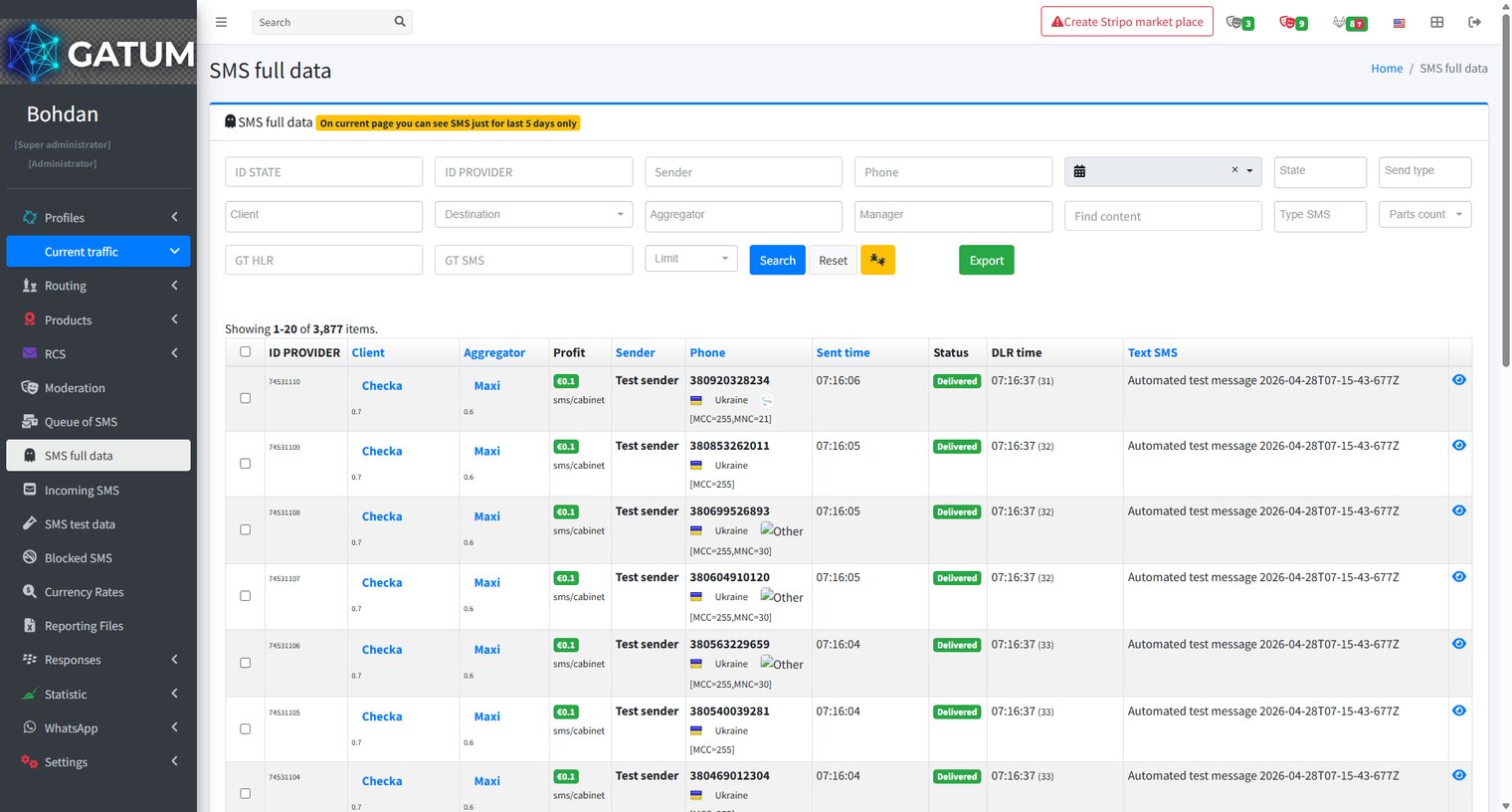
Use the filter fields at the top to narrow the results. You can search by ID STATE, ID PROVIDER, Sender, Phone, date range, State, Send type, Client, Destination, Aggregator, Manager, message content, Type SMS, Parts count, GT HLR, and GT SMS. Apply as many filters as needed, then click Search.
Each row in the list shows a single message with its key details: ID PROVIDER, Client, Aggregator, Profit (client price / source price), Sender, Phone, Sent time, Status, DLR time, and Text SMS.
View Detailed Information for a Message
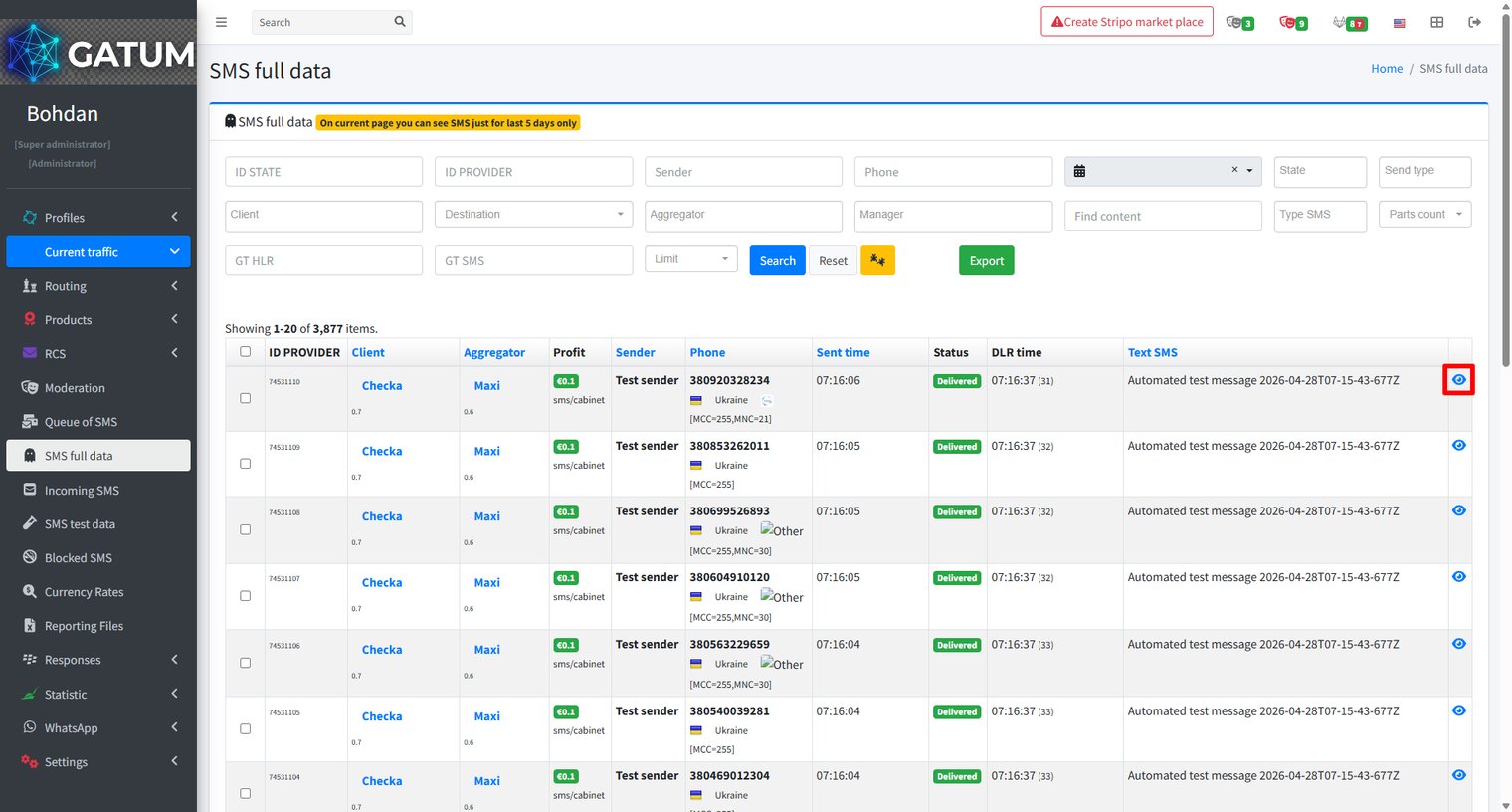
Click the eye icon in a message row to open its full detail page:
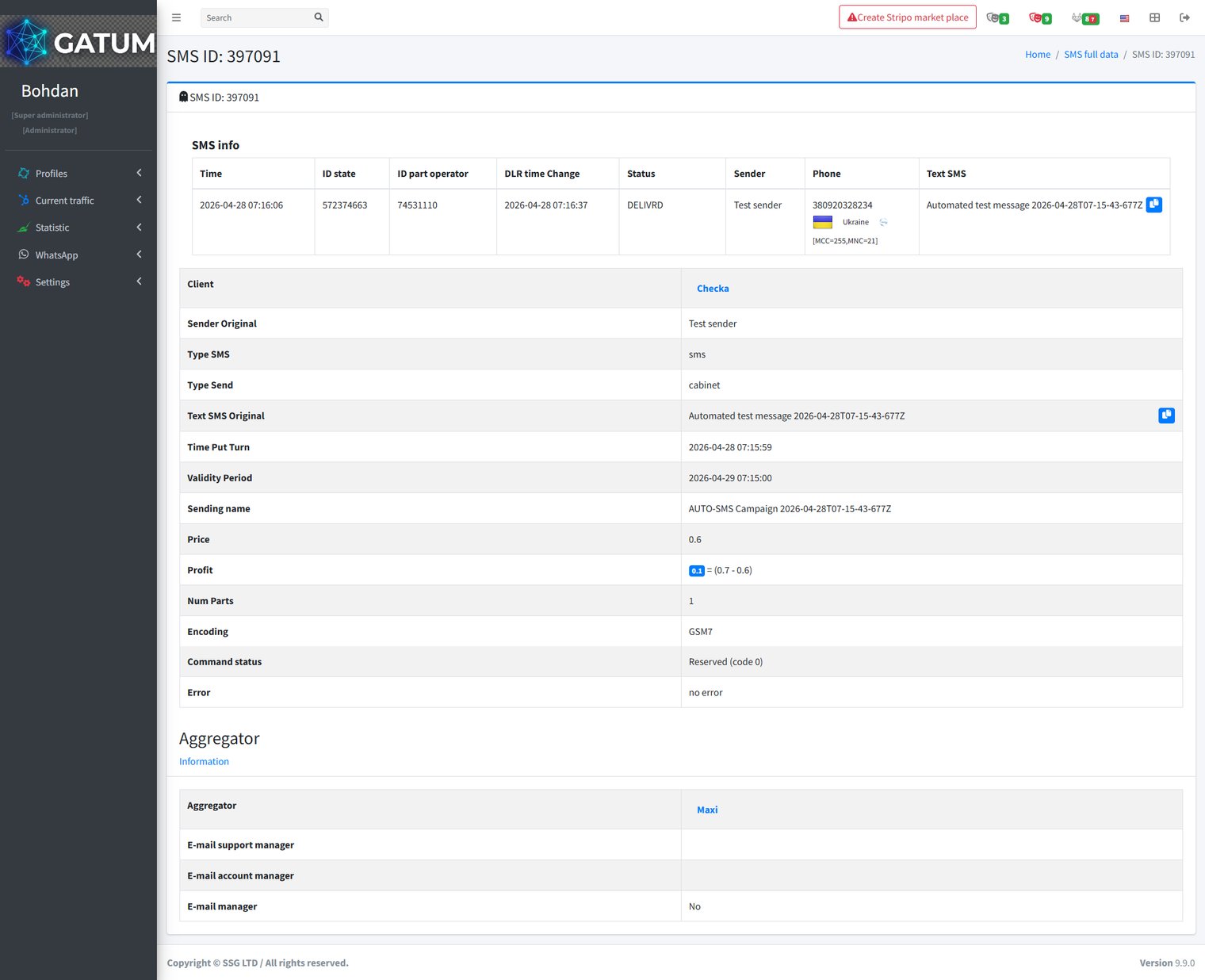
The detail page shows everything recorded for that message:
The SMS info section at the top contains the delivery record: time sent, platform and provider IDs, DLR timestamp, final status, sender, recipient phone number, and message text.
Below that, the detail fields include:
Field
Description
Client
The client account that submitted the message.
Sender Original
The sender name as submitted by the client, before any replacement rules were applied.
Type SMS
The message type (e.g. SMS, Flash).
Type Send
The channel used to submit the message (e.g. cabinet, API, SMPP).
Text SMS Original
The message text as submitted by the client, before any content replacement.
Time Put Turn
When the message entered the sending queue.
Validity Period
The deadline by which the message must be delivered. After this time the operator stops retrying.
Sending name
The campaign or bulk send this message belongs to, if applicable.
Price
What the client was charged per message part.
Profit
The margin on this message: client price minus source price.
Num Parts
The number of SMS parts this message was split into.
Encoding
The character encoding used (e.g. GSM7, UCS2).
Command status
The SMPP command status returned by the aggregator.
Error
Any error code returned during sending.
The Aggregator section below shows which aggregator handled the message and the contact details for its support and account managers
When a message is held for review instead of being sent immediately, it means it was caught by one of the platform's moderation mechanisms. Understanding why this happens helps you manage traffic more effectively and configure moderation to match your workflow.
Reason 1:...
Why do SIDs get moderated, and how to set it up?
Sender ID moderation lets you control which sender names your clients can use. When it's enabled, a client can't send SMS with a new sender until you approve it. This helps you keep traffic clean and avoid unexpected sender names going out.
Go...
Why Do SMS Get Into the Waiting List?
When there is not enough balance to send all messages in a campaign, the platform automatically moves the unsent SMS to the Waiting SMS queue instead of dropping them. Once you top up your balance, you can resend them manually.
For example, if...
Cookie declaration last updated on 01/01/2025
This website uses cookies
We use cookies to enhance your browsing experience, provide social media features, and analyze our traffic.
You consent to our cookies if you continue to use our website.