How to Give Team Members Separate Access to the Main Account?
12.06.2026
Sub-accounts let you give other people on your team access to the platform – with only the permissions they actually need. For example, you can let one person send bulk SMS but restrict access to analytics or finances.
ⓘ
Sub-accounts only control access to the web interface. They have no effect on your API, REST API, or SMPP connections.
Before You Start
Sub-accounts are not available by default. To enable this feature, ask your Gatum manager to turn on the Can Add Subaccount option in your account settings.
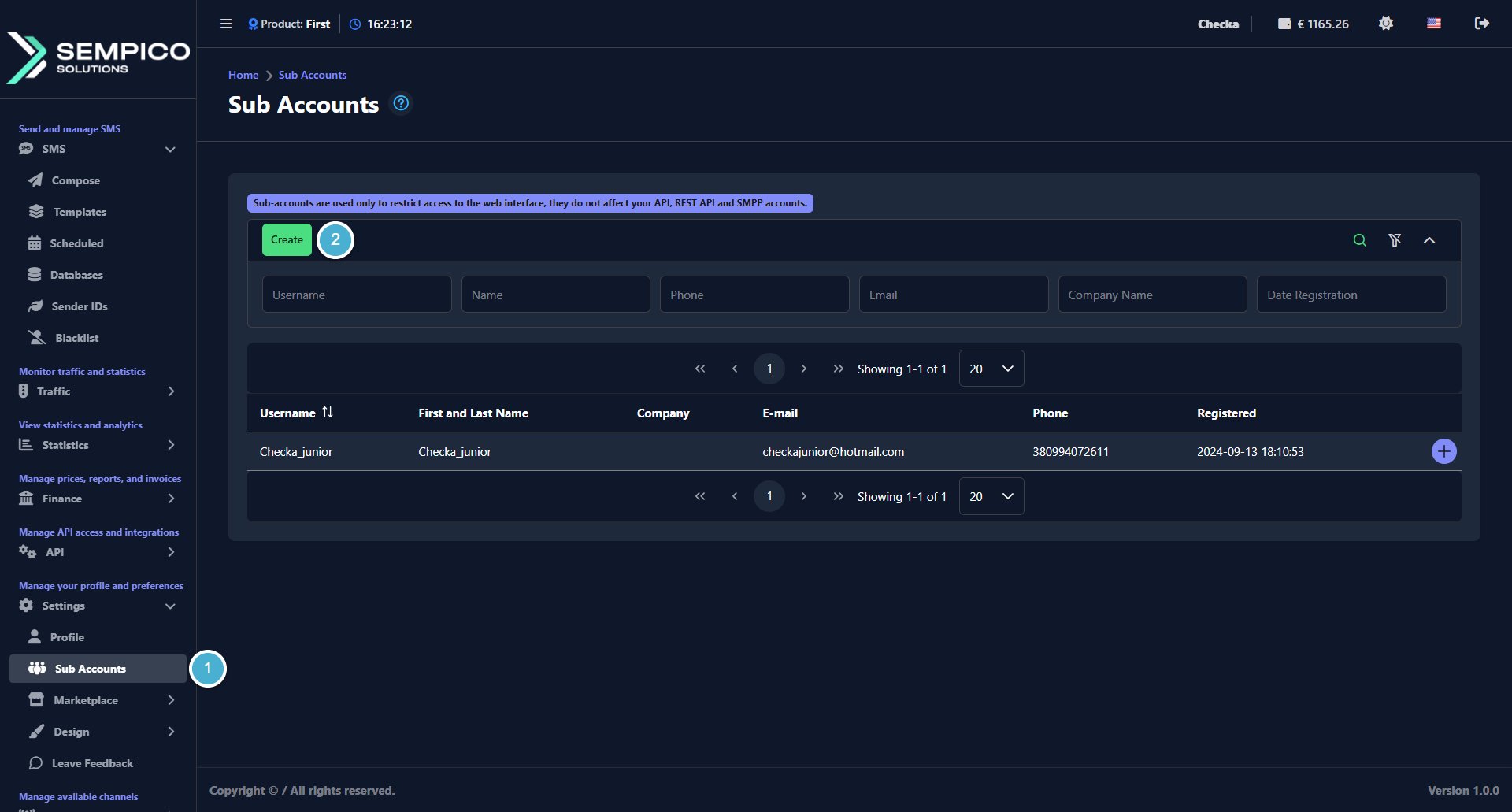
Once it's enabled, you'll see the Sub Accounts section in your platform under Setting → Sub Accounts.
Step 1: Create a Sub-Account
Go to Setting → Sub Accounts.
Click the Create button in the top right corner of the page:
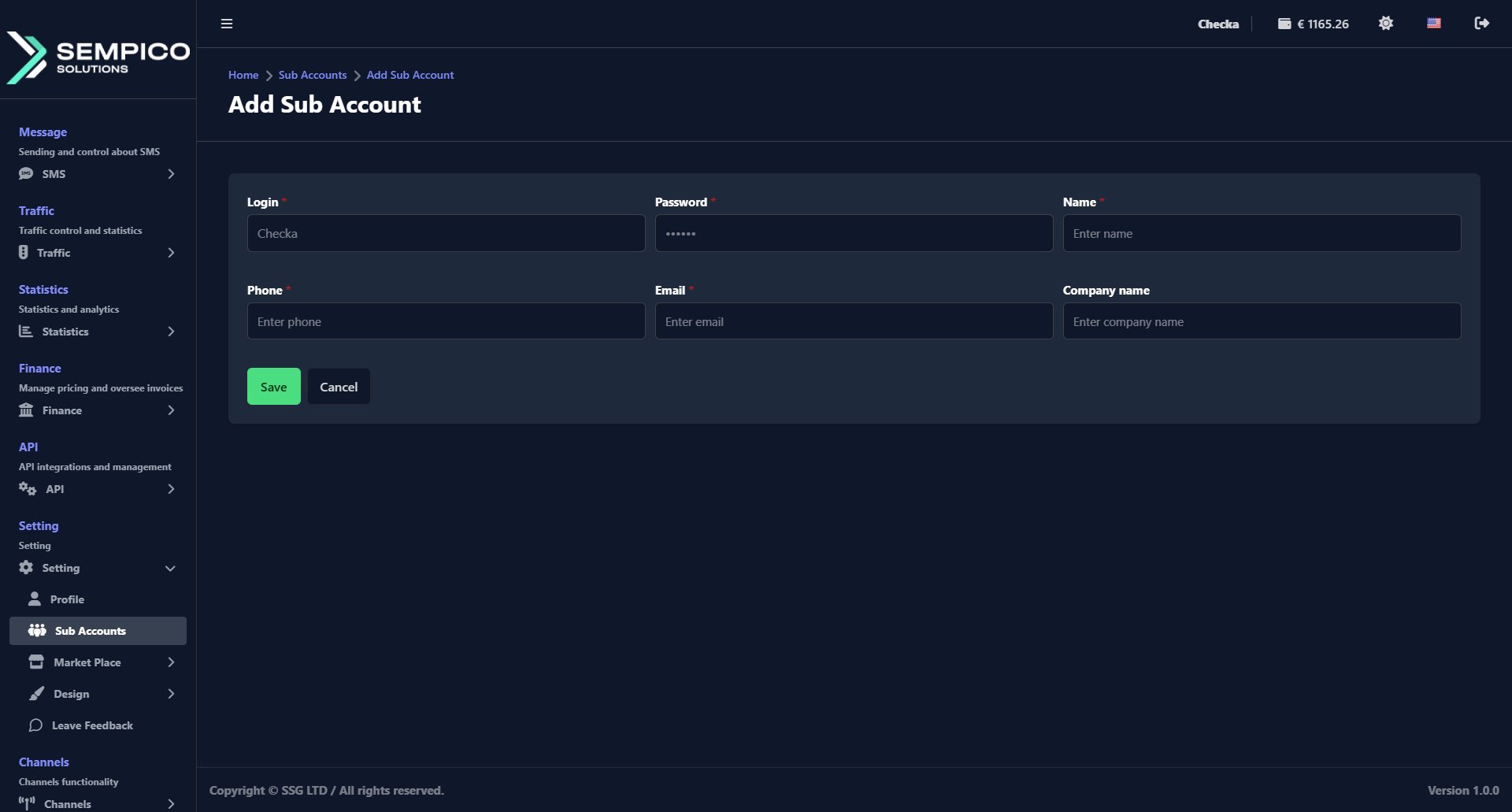
Fill in the required fields:
Field
Description
Login
The username this person will use to log in
Password
The password for their account
Name
Their first and last name
Phone
Their phone number
Email
Their email address
Company name (optional)
Their company name
Click Save.
The new sub-account will appear in the list on the Sub Accounts page.
Step 2: Set Up Permissions
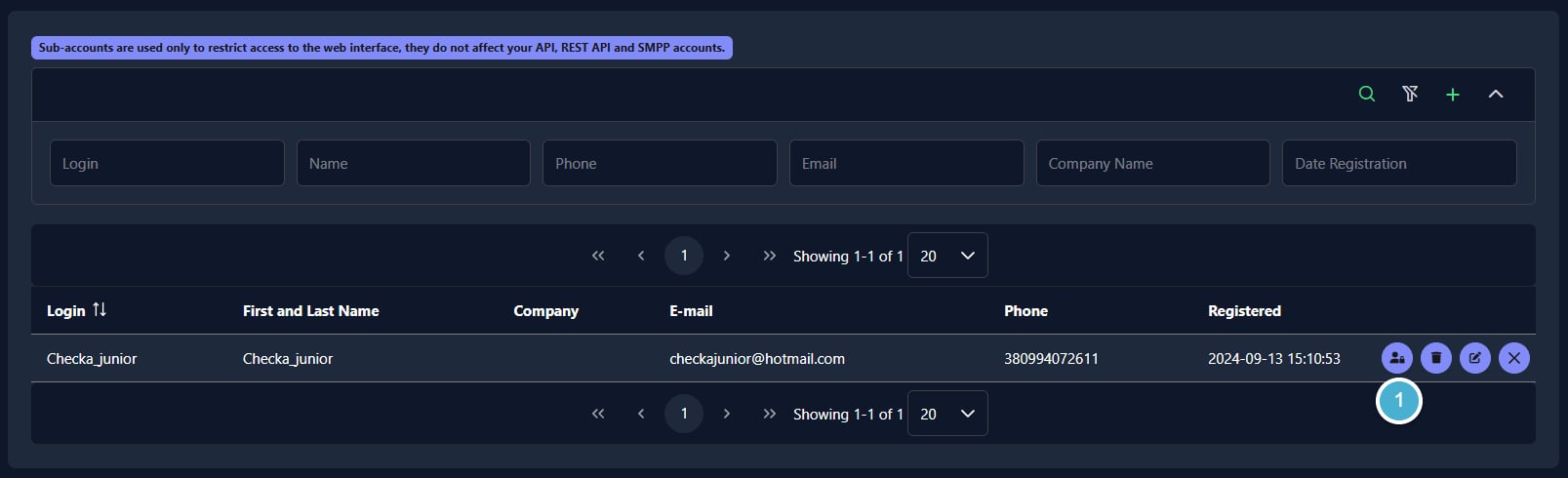
Find the sub-account in the list and click the + icon on the right side of their row and click the Manage access icon:
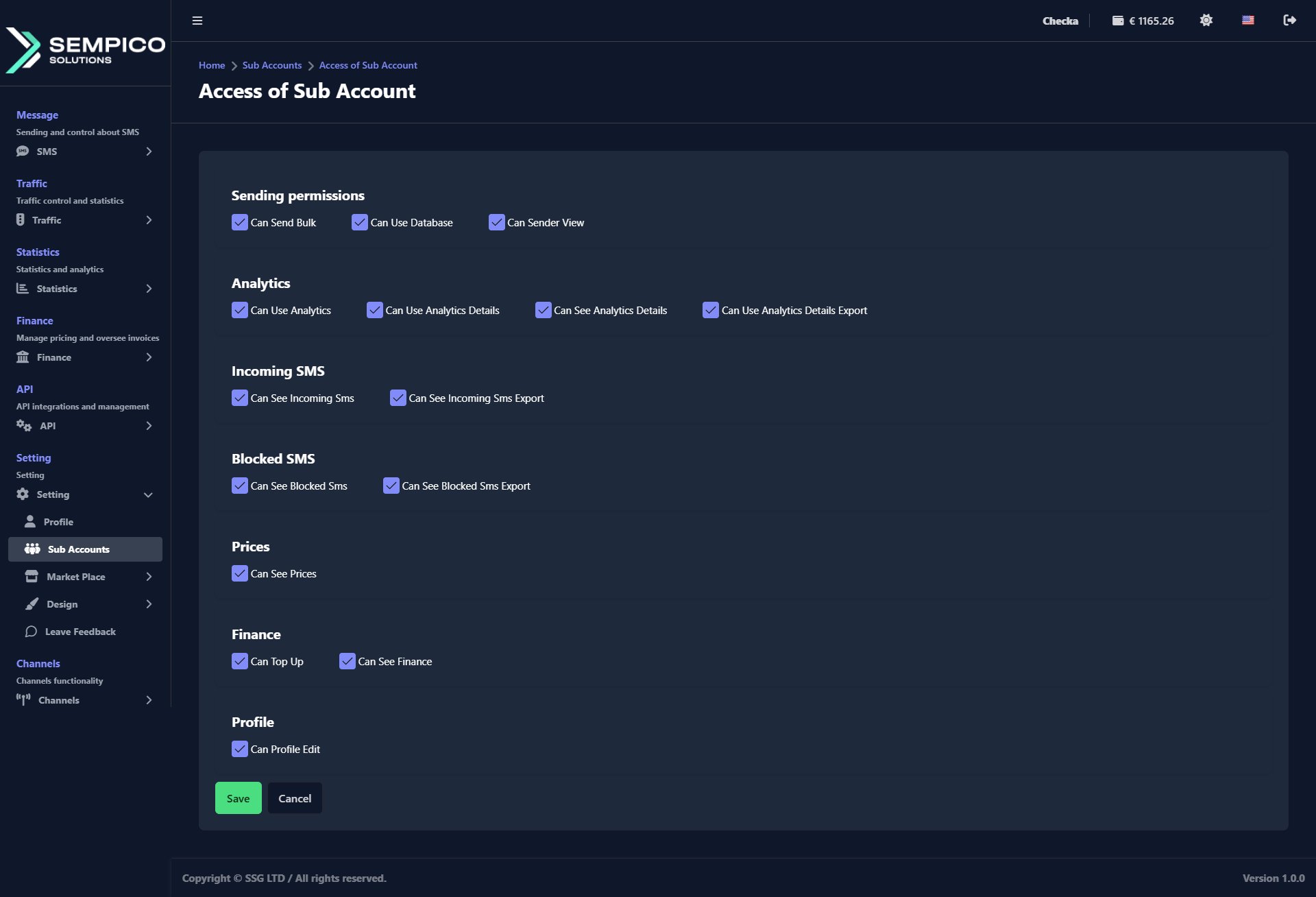
You'll be taken to the Access of Sub Account page, where you can select permissions across several categories:
Category
Permission
What it allows
Sending
Can Send Bulk
Send bulk SMS campaigns
Can Use Database
Create and manage contact lists
Can Sender View
View available sender names
Analytics
Can Use Analytics
Access the analytics section
Can Use Analytics Details
View detailed message reports
Can See Analytics Details
See detailed analytics data
Can Use Analytics Details Export
Export analytics data
Incoming SMS
Can See Incoming Sms
View incoming messages
Can See Incoming Sms Export
Export incoming message data
Blocked SMS
Can See Blocked Sms
View blocked messages
Can See Blocked Sms Export
Export blocked message data
Prices
Can See Prices
View SMS pricing
Finance
Can Top Up
Top up the account balance
Can See Finance
View invoices and financial history
Profile
Can Profile Edit
Edit the account profile settings
Check the boxes for the permissions you want to grant, then click Save.
The sub-account is now ready. The person can log in using the credentials you set up and will only see the parts of the platform that you've given them access to.
SMS is a simple and familiar communication channel. Most of us remember old mobile phones thatshowed a character counter while typing a message. Today, smartphones often hide this counter,but the technical limits of SMS have not disappeared.For anyone...
Sempico Solutions SMS Integration with ActiveCampaign
ActiveCampaign is a marketing and sales automation platform designed to drive revenue growth for businesses. It empowers users to create personalized marketing campaigns, automate customer follow-up, and optimize sales efficiency.
To start sending SMS marketing via Sempico...
Sempico Solutions SMS Integration with Fast Track
Sempico Solutions can be integrated with Fast Track CRM through Fast Track’s Custom SMS Solution framework.
The integration enables iGaming operators to use Sempico as an SMS delivery layer for CRM activities, lifecycle automation, player engagement campaigns,...
Cookie declaration last updated on 01/01/2025
This website uses cookies
We use cookies to enhance your browsing experience, provide social media features, and analyze our traffic.
You consent to our cookies if you continue to use our website.