Sempico Solutions SMS Integration with ActiveCampaign
07.07.2026
ActiveCampaign is a marketing and sales automation platform designed to drive revenue growth for businesses. It empowers users to create personalized marketing campaigns, automate customer follow-up, and optimize sales efficiency.
To start sending SMS marketing via Sempico Solutions directly from the ActiveCampaign platform, you need to follow a few simple steps:
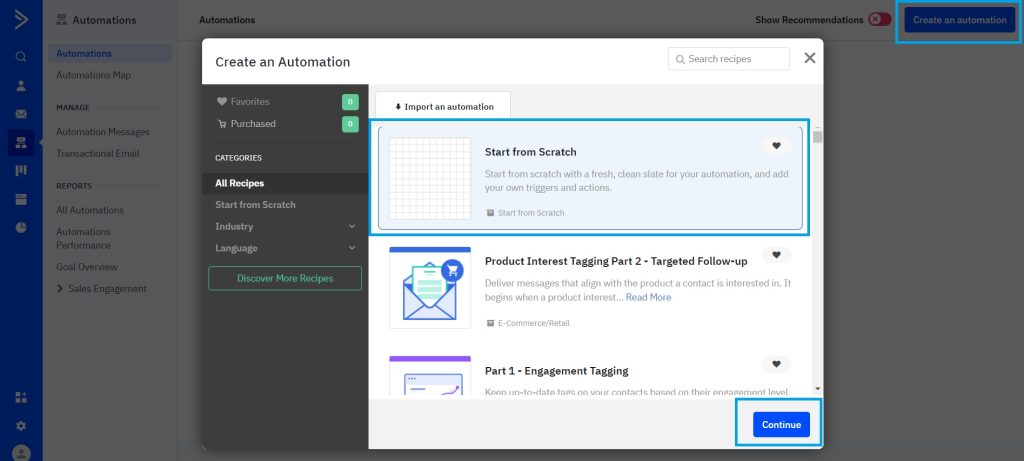
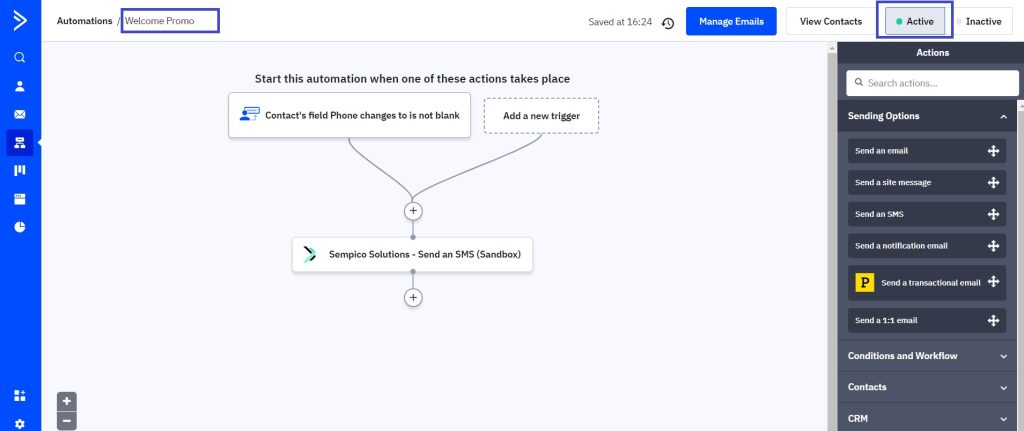
Create a new automation in ActiveCampaign.
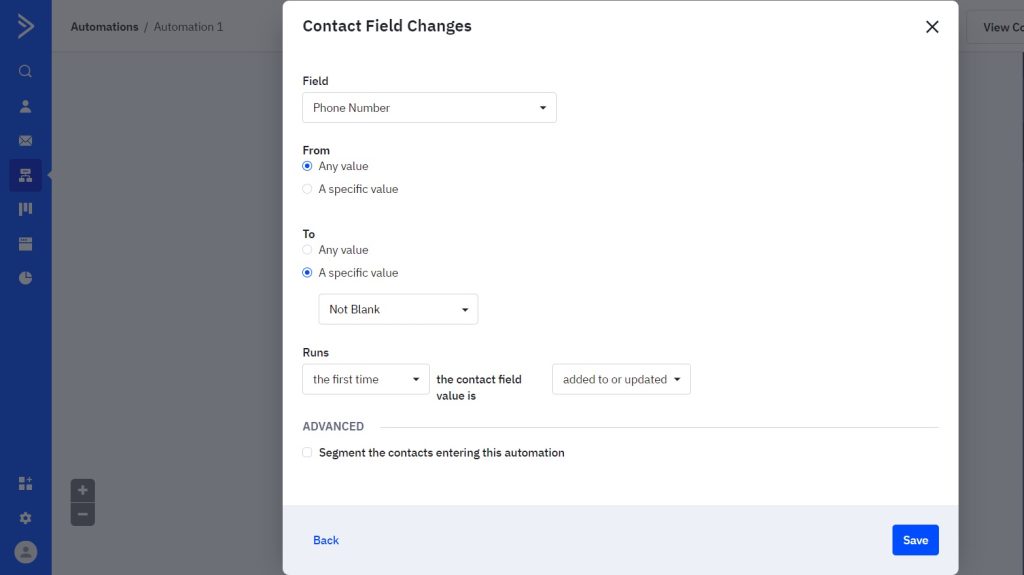
2. Set up a trigger depending on your needs, which will trigger the action of sending SMS. In our example, the trigger will fire when a new customer is created or when a phone number is added to an existing customer for the first time. Please note that the phone number must be added in MSISDN format (example for the UK: 441316080906).
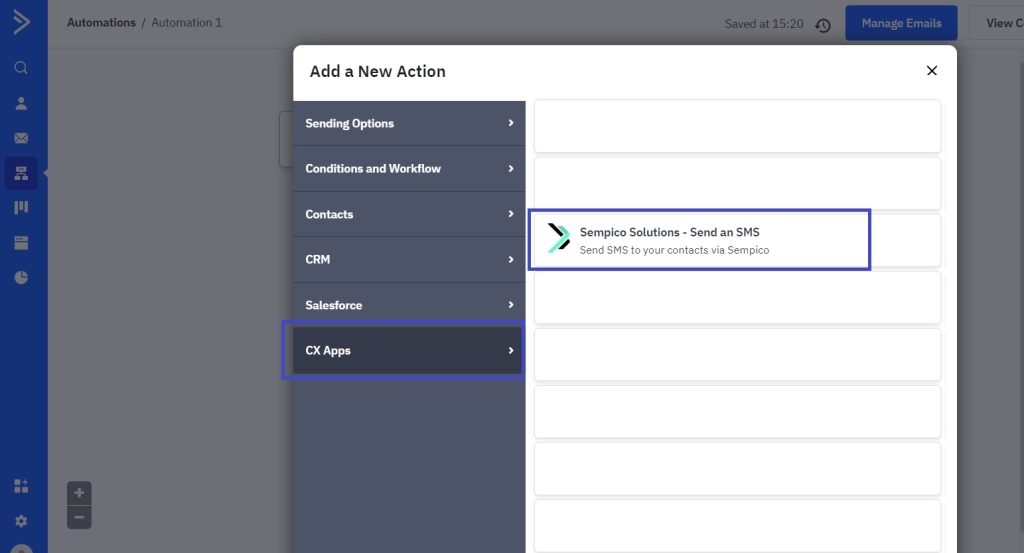
3. Set up the action by going to the CX Apps section and selecting Sempico Solutions – Send an SMS from the list.
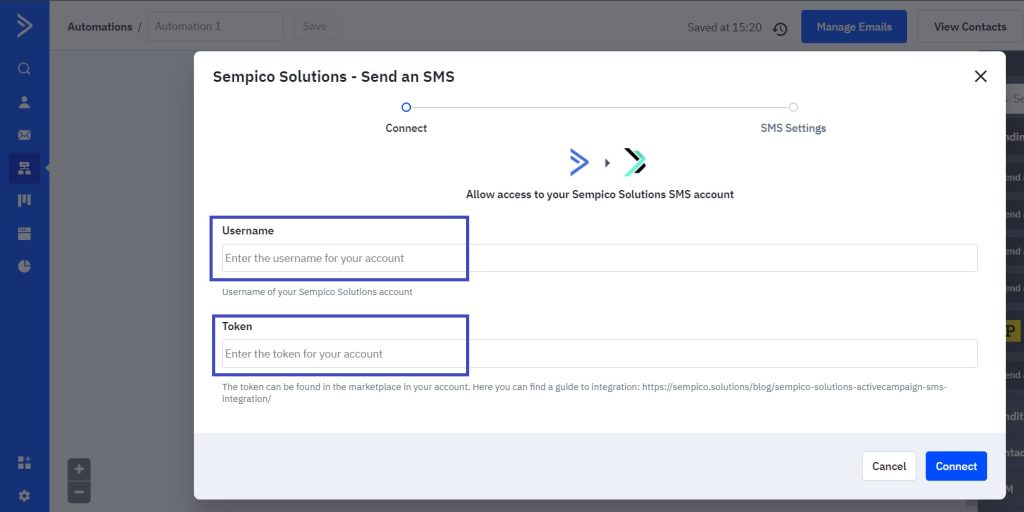
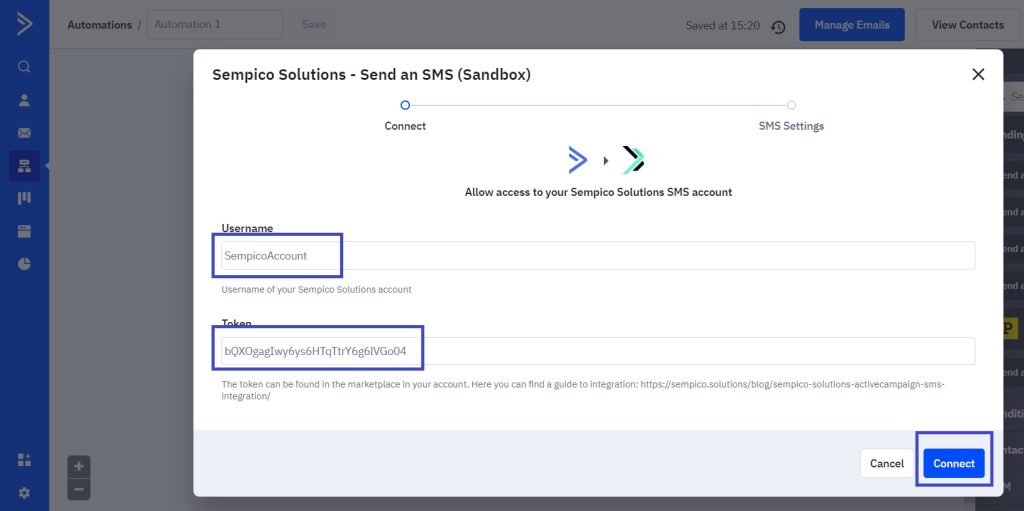
Then you will be shown an authorization form to connect your Sempico Solutions account.
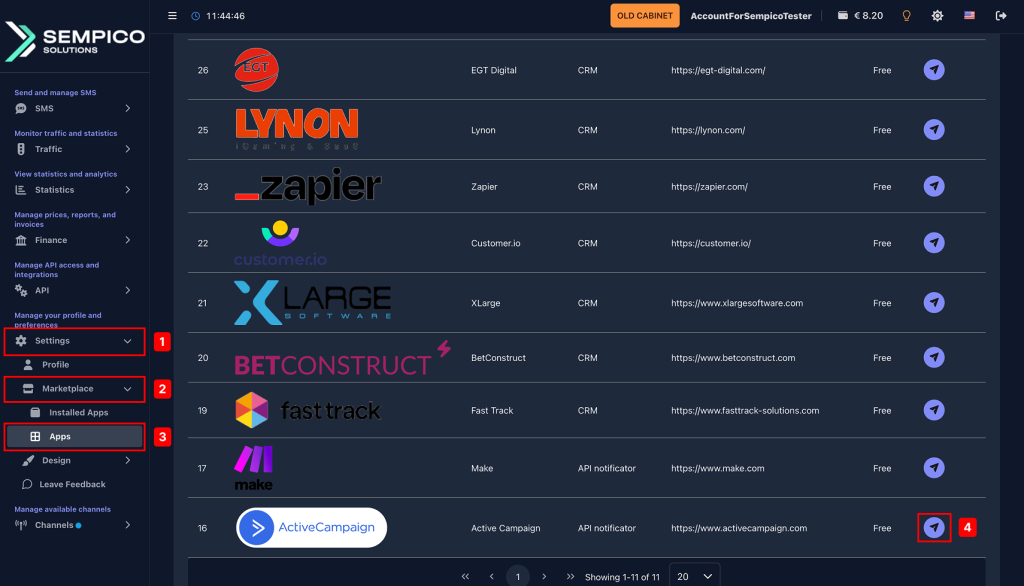
4. To create a token, you need to log in to your account on the Sempico Solutions platform, go to the Settings > Marketplace > Applications section, and install the ActiveCampaign application.
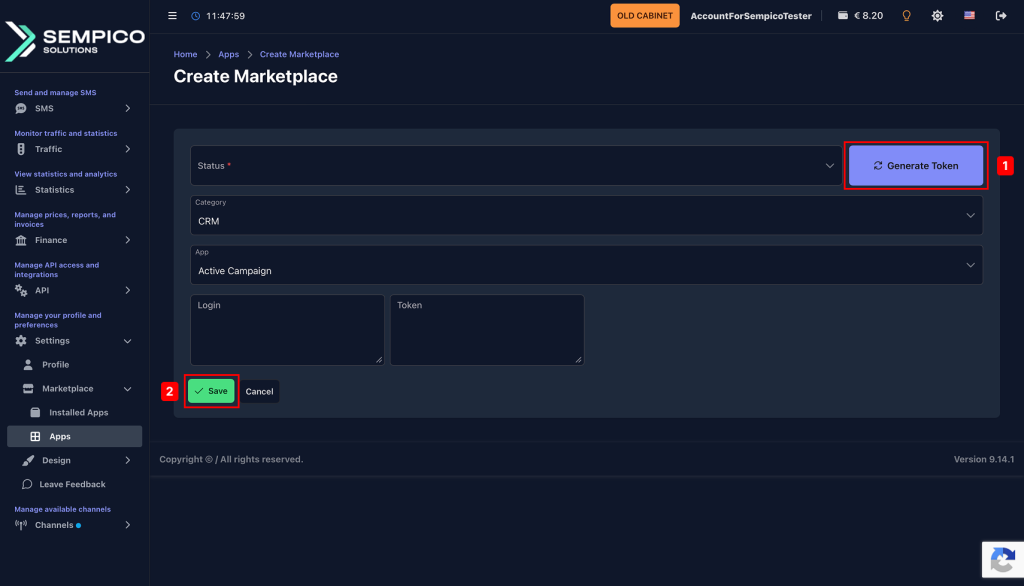
On the page you will be redirected to, you need to click the Generate token button, save the received data, and click the Save button.
Next, using the received data, you need to fill in the Username and Token fields in ActiveCampaign and then click the Connect button.
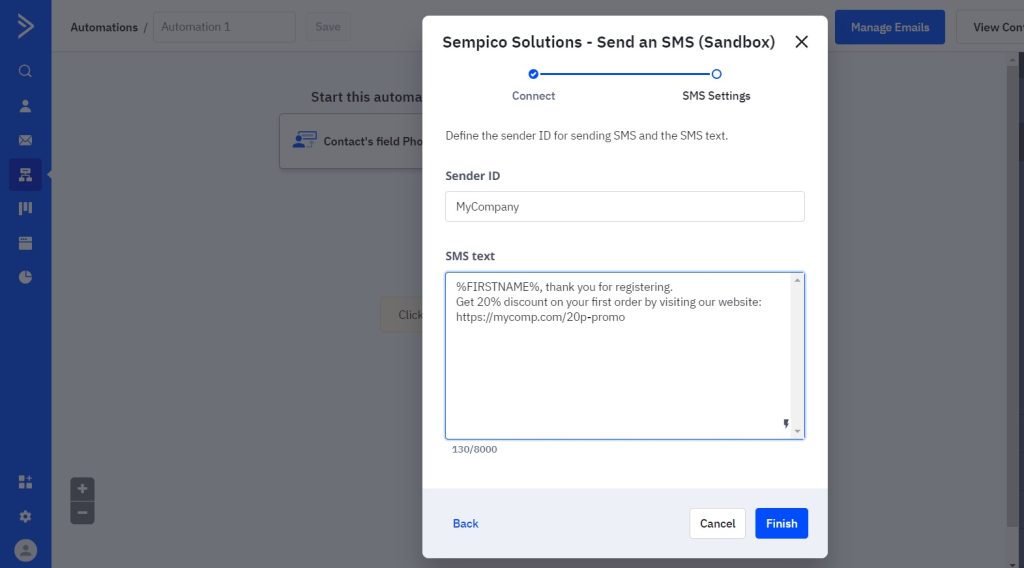
After a successful connection, a form for setting up SMS will be displayed:
• In the Sender ID field, you must enter the name from which you would like to send SMS messages (which Sender ID you can use can be found out from your Sempico Solutions account manager).
• In the SMS text field, you need to enter the text that you would like to send to your customers. You can also personalize it using the customer’s name and other customer data.
6. All that remains is to name your automation and activate it. Don’t forget to also test it by fulfilling the conditions of your trigger.
In case of any questions, please do not hesitate to contact us.
Sempico Solutions can be integrated with Fast Track CRM through Fast Track’s Custom SMS Solution framework.
The integration enables iGaming operators to use Sempico as an SMS delivery layer for CRM activities, lifecycle automation, player engagement campaigns,...
Sempico Solutions SMS Integration with Integrately
Integrately allows businesses to connect Sempico Solutions SMS with their everyday tools and automate SMS communication without building custom workflows from scratch.
With ready-to-use automations, teams can trigger SMS messages when an event occurs in a CRM,...
Sempico Solutions – BetConstruct SMS integration
Sempico Solutions is a fast and reliable SMS service provider that is available for integration with different third-party applications and services. One of such services is BetConstruct.BetConstruct is an online casino platform provider. Sempico Solutions can be an SMS provider...
Cookie declaration last updated on 01/01/2025
This website uses cookies
We use cookies to enhance your browsing experience, provide social media features, and analyze our traffic.
You consent to our cookies if you continue to use our website.