How to Integrate Sempico Solutions SMS with Make.com
06.07.2026
Make.com allows you to connect Sempico Solutions SMS with CRM systems, forms, eCommerce platforms, spreadsheets, and other business tools. With automated scenarios, you can trigger SMS messages based on specific events without building a custom integration from scratch.
For example, you can automatically send an SMS when:
a new lead appears in your CRM;
a customer submits a form;
an order is created or updated;
a payment is completed;
an appointment is approaching;
your team needs to receive an urgent system notification.
Before You Start
To connect Sempico Solutions SMS with Make.com, you need:
an active Sempico Solutions account;
access to the Sempico Solutions SMS application;
an API token;
a Make.com account.
Step 1. Generate Your API Token in Sempico Solutions
Open your Sempico Solutions account and go to:
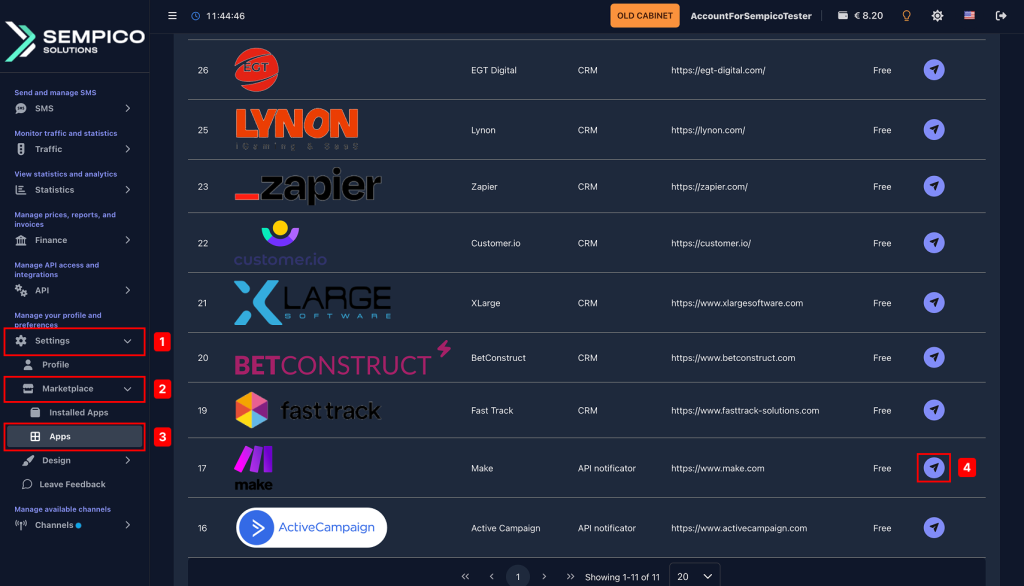
Settings → Market Place → Applications
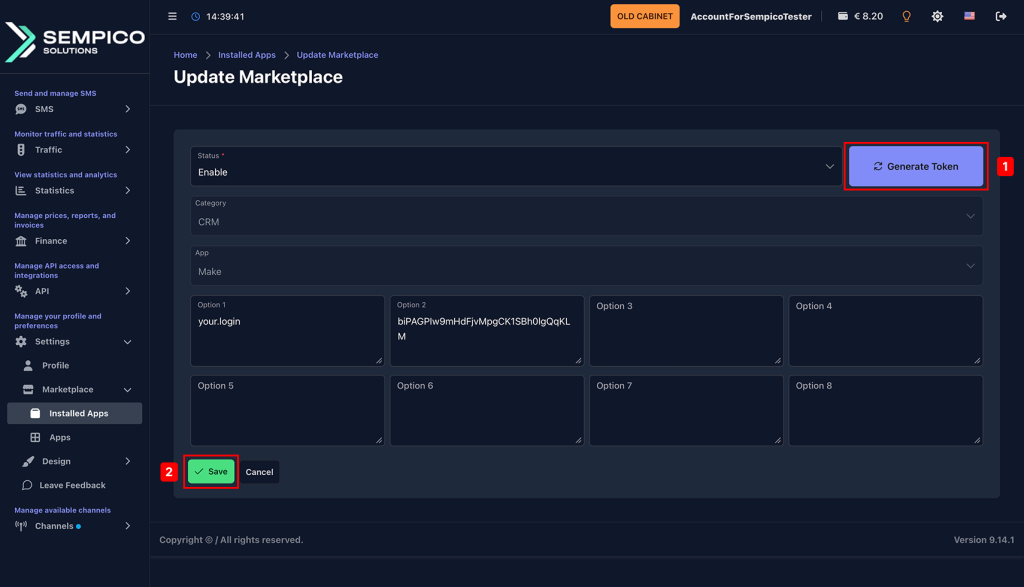
Install the Make application and select Generate Token.
Enter the username you want to use for the integration. After the token is created, copy and save:
the generated username;
the API token.
You will need these credentials when creating the connection in Make.com.
Step 2. Create a Scenario in Make.com
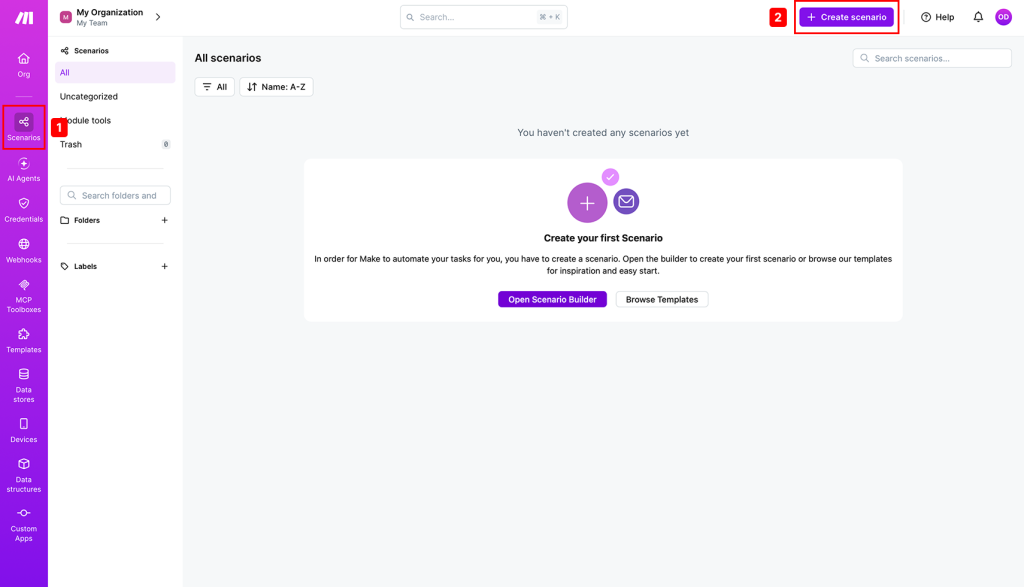
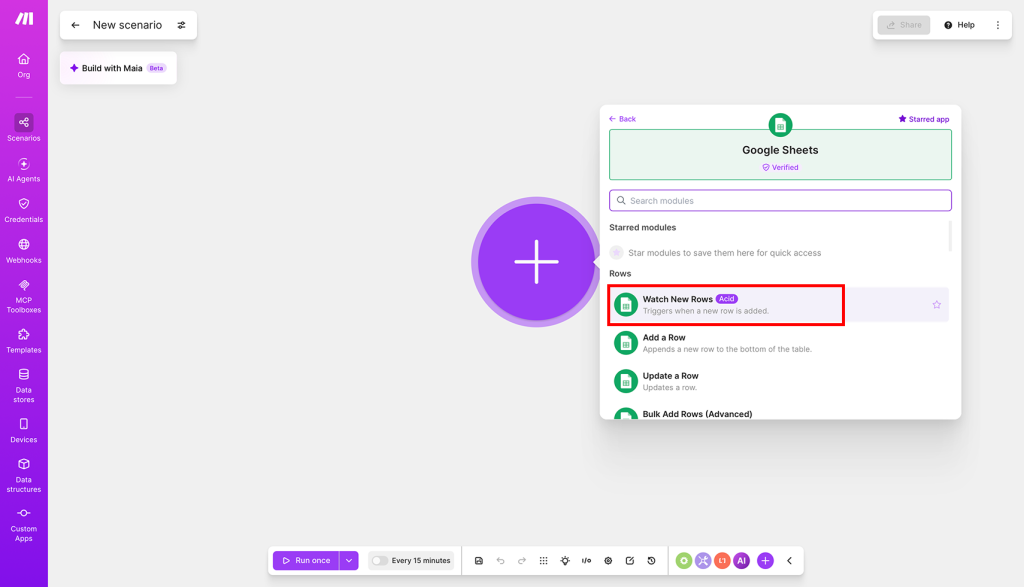
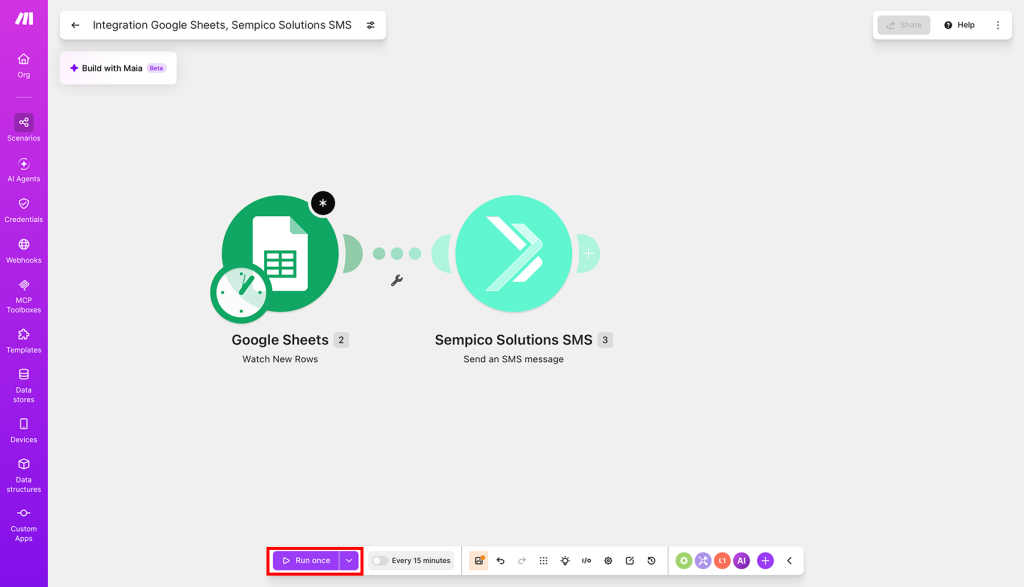
Log in to Make.com and create a new scenario.
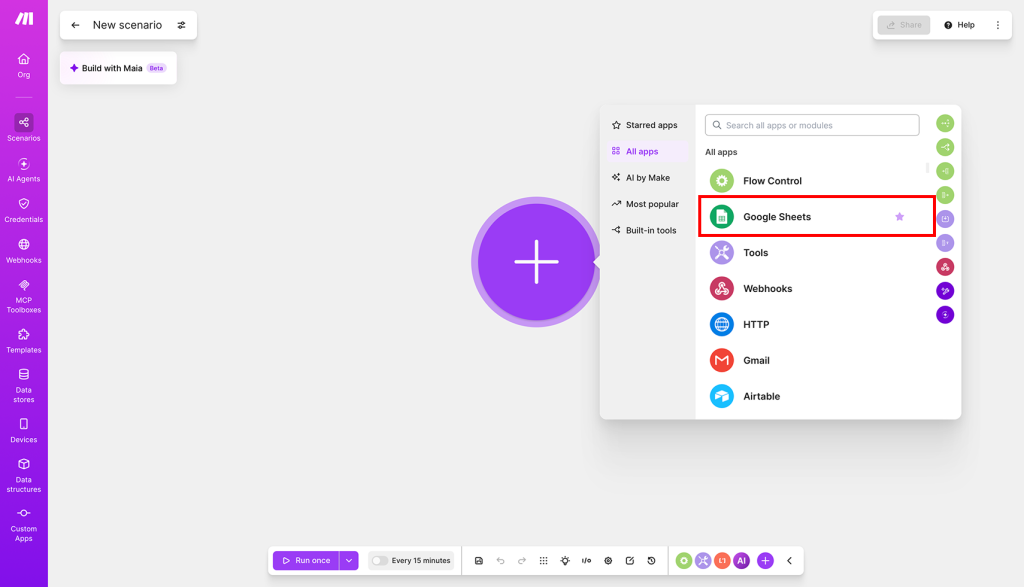
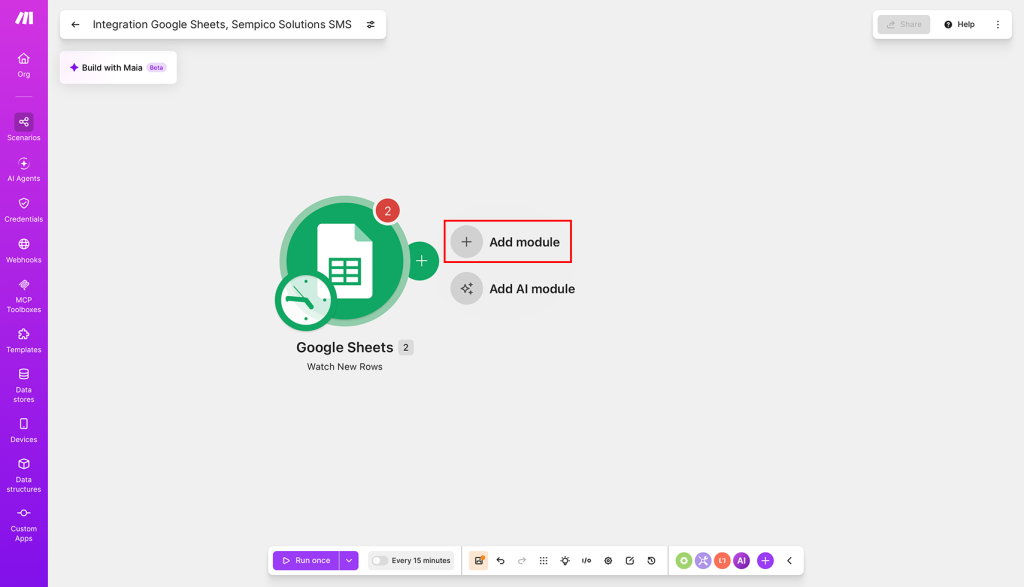
Choose the application that will trigger the workflow. This can be a CRM, Google Sheets, an online form, an eCommerce platform, a webhook, or another connected service.
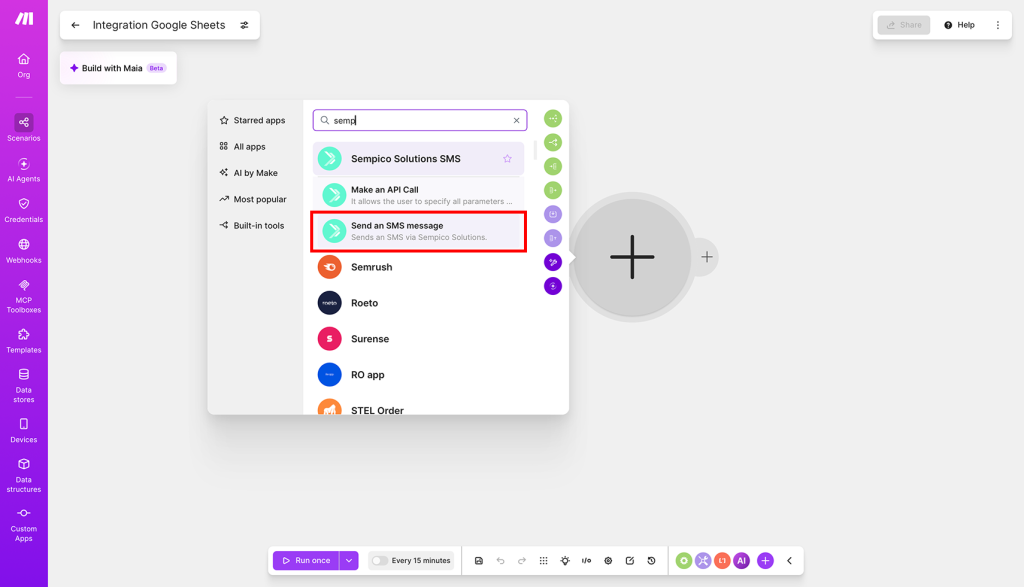
Then add the Sempico Solutions SMS module to the scenario.
Step 3. Create a Connection
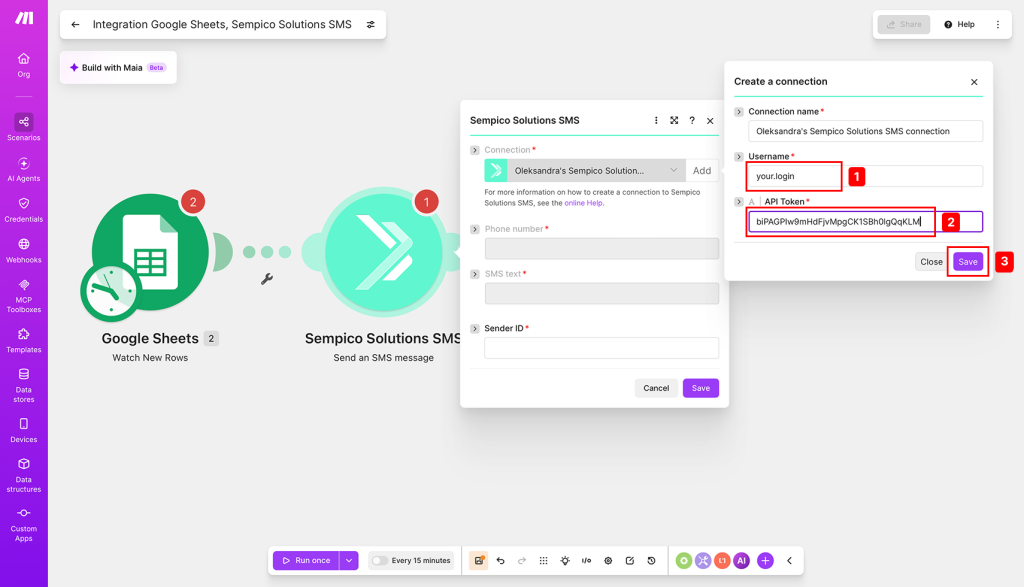
When adding the Sempico Solutions SMS module, click Create a connection.
Enter the username and API token generated in your Sempico Solutions account.
For modules marked as instant, create a webhook first and then connect your Sempico Solutions SMS account.
Once the connection is created, you can configure the module according to your workflow.
Available Sempico Solutions SMS Modules
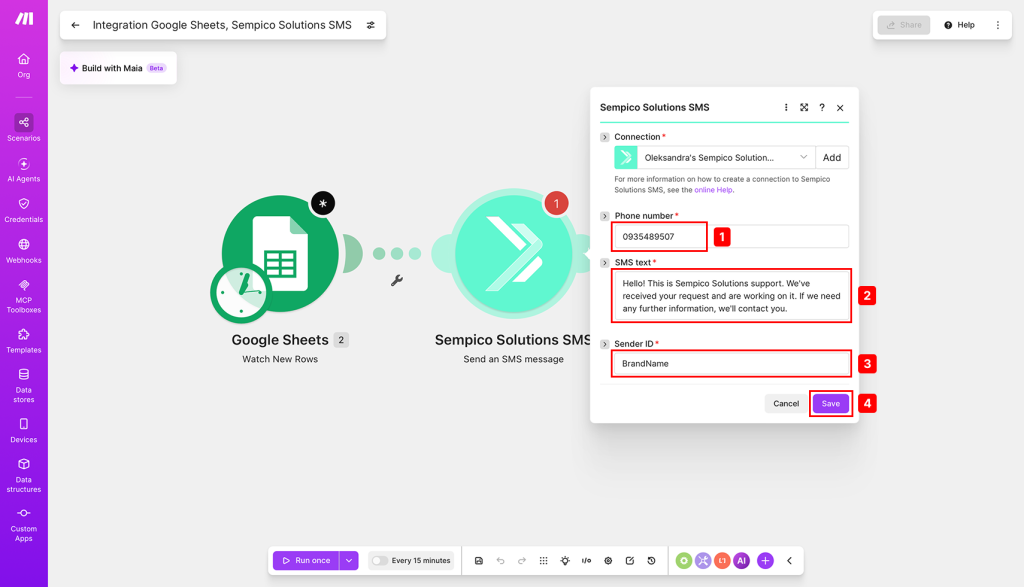
Send an SMS Message
Use this module to send an SMS to a selected phone number.
You can map data from previous modules into the message, including:
customer name;
phone number;
order number;
appointment date;
payment status;
other dynamic values from your connected applications.
Make an API Call
This module allows you to send a custom API request through your connected Sempico Solutions account.
It can be used when your scenario requires more flexible parameters or a specific API request that is not covered by the standard SMS module.
Example Use Cases
CRM Lead Notifications
Send an SMS to a sales manager every time a new lead is added to your CRM.
Order and Delivery Updates
Trigger automated SMS messages when an order is confirmed, shipped, delivered, or updated.
Appointment Reminders
Send reminders to customers before a scheduled appointment, consultation, or service visit.
OTP and Security Alerts
Automate one-time password delivery and security notifications during sign-up, login, or account verification.
Internal Team Alerts
Notify your team by SMS about system incidents, urgent customer requests, payment events, or operational updates.
Start Automating SMS Communication
By connecting Sempico Solutions SMS with Make.com, you can automate routine messaging processes, reduce manual work, and ensure that important updates are sent at the right moment.
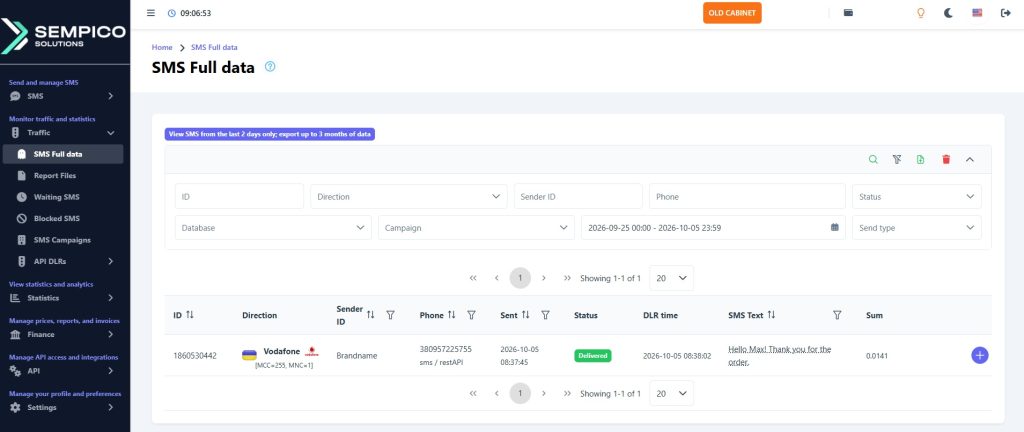
Build a scenario, connect your Sempico Solutions SMS account, test the workflow, and activate it when everything is ready.
Sempico Solutions SMS Integration with ActiveCampaign
ActiveCampaign is a marketing and sales automation platform designed to drive revenue growth for businesses. It empowers users to create personalized marketing campaigns, automate customer follow-up, and optimize sales efficiency.
To start sending SMS marketing via Sempico...
Sempico Solutions SMS Integration with Fast Track
Sempico Solutions can be integrated with Fast Track CRM through Fast Track’s Custom SMS Solution framework.
The integration enables iGaming operators to use Sempico as an SMS delivery layer for CRM activities, lifecycle automation, player engagement campaigns,...
Sempico Solutions SMS Integration with Integrately
Integrately allows businesses to connect Sempico Solutions SMS with their everyday tools and automate SMS communication without building custom workflows from scratch.
With ready-to-use automations, teams can trigger SMS messages when an event occurs in a CRM,...
Cookie declaration last updated on 01/01/2025
This website uses cookies
We use cookies to enhance your browsing experience, provide social media features, and analyze our traffic.
You consent to our cookies if you continue to use our website.