When a client's traffic goes to an MNP country, the platform needs to know which operator actually holds the number — not just the original operator assigned by prefix. You can configure a client price to check each number against the MNP database or via an HLR request before routing the SMS. This ensures the correct route and price are applied based on the number's current operator.
Before You Start
To use HLR checking, you need to create an HLR route for the client in addition to the SMS price. The HLR route tells the platform which aggregator to use for the lookup. No HLR price is required — the cost of the HLR should already be factored into the SMS price you charge the client.
To use MNP database checking, the MNP database for the relevant country must already be loaded on the platform. Contact Gatum support to set this up.
Set Up HLR/MNP Checking for a Client
Step 1: Create an HLR Route
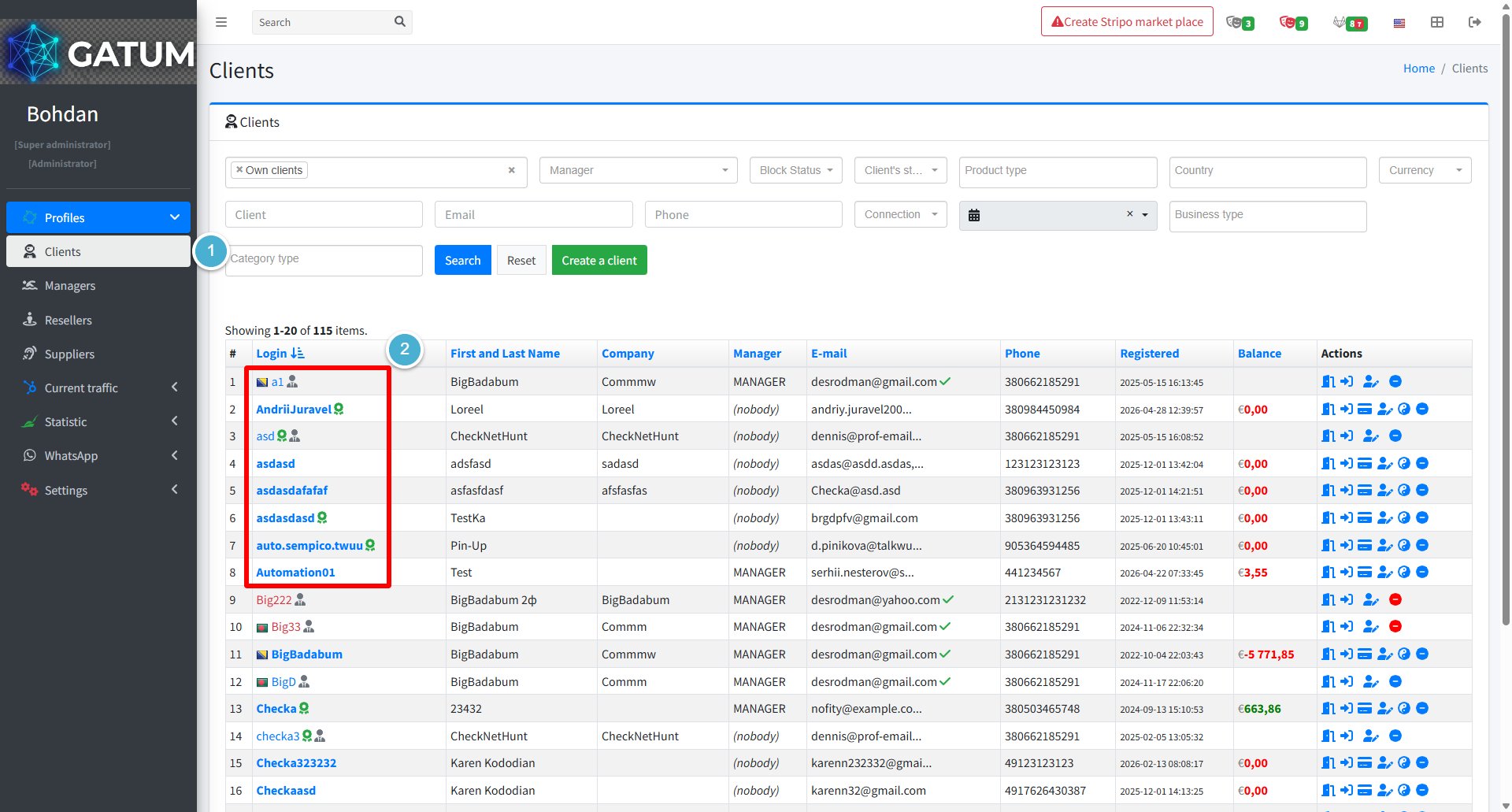
Go to Profiles → Clients.
Click the client's name to open their profile.
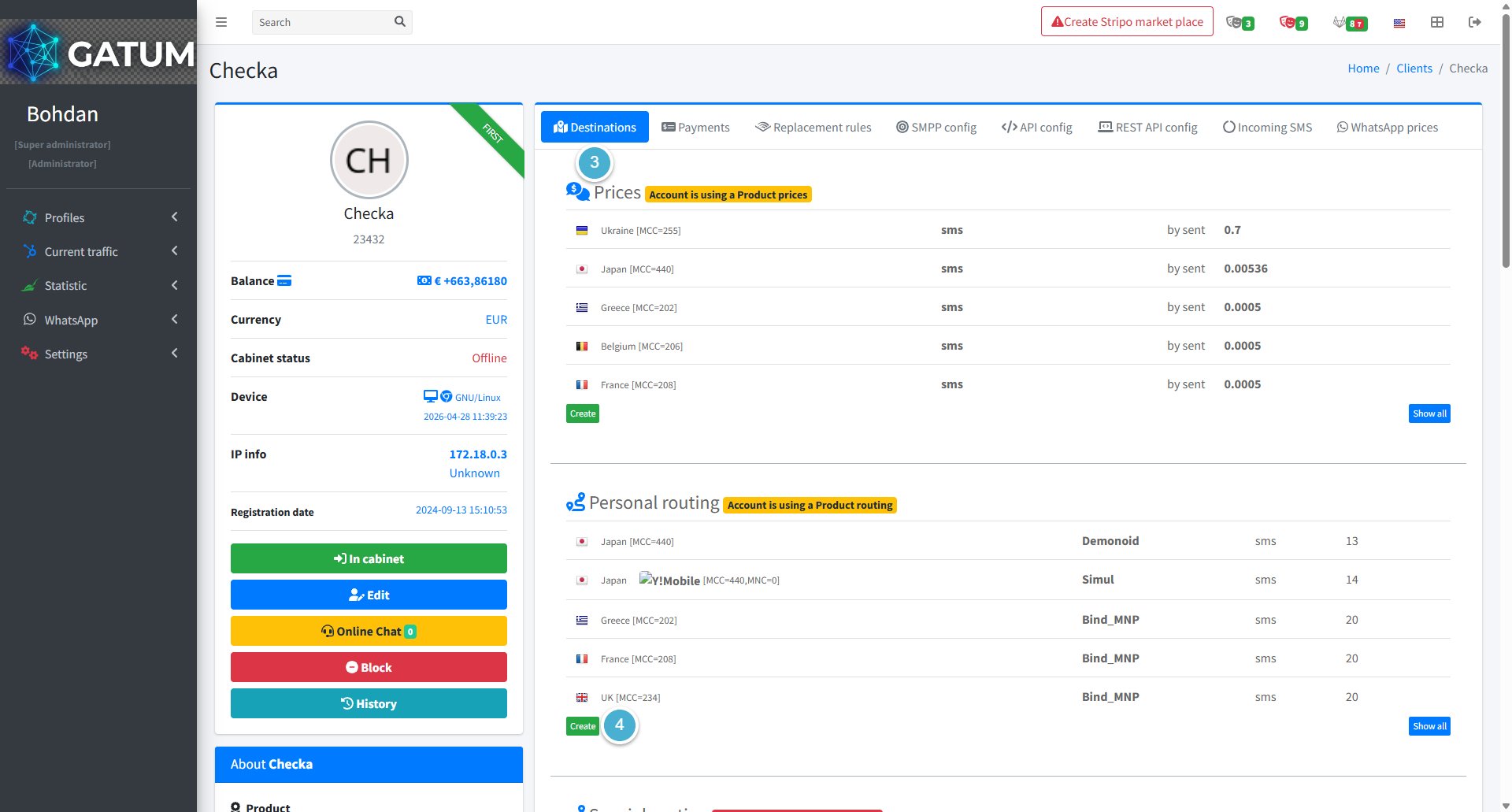
Open the Destinations tab. In the Personal routing section,
In the Personal routing section, click Create.
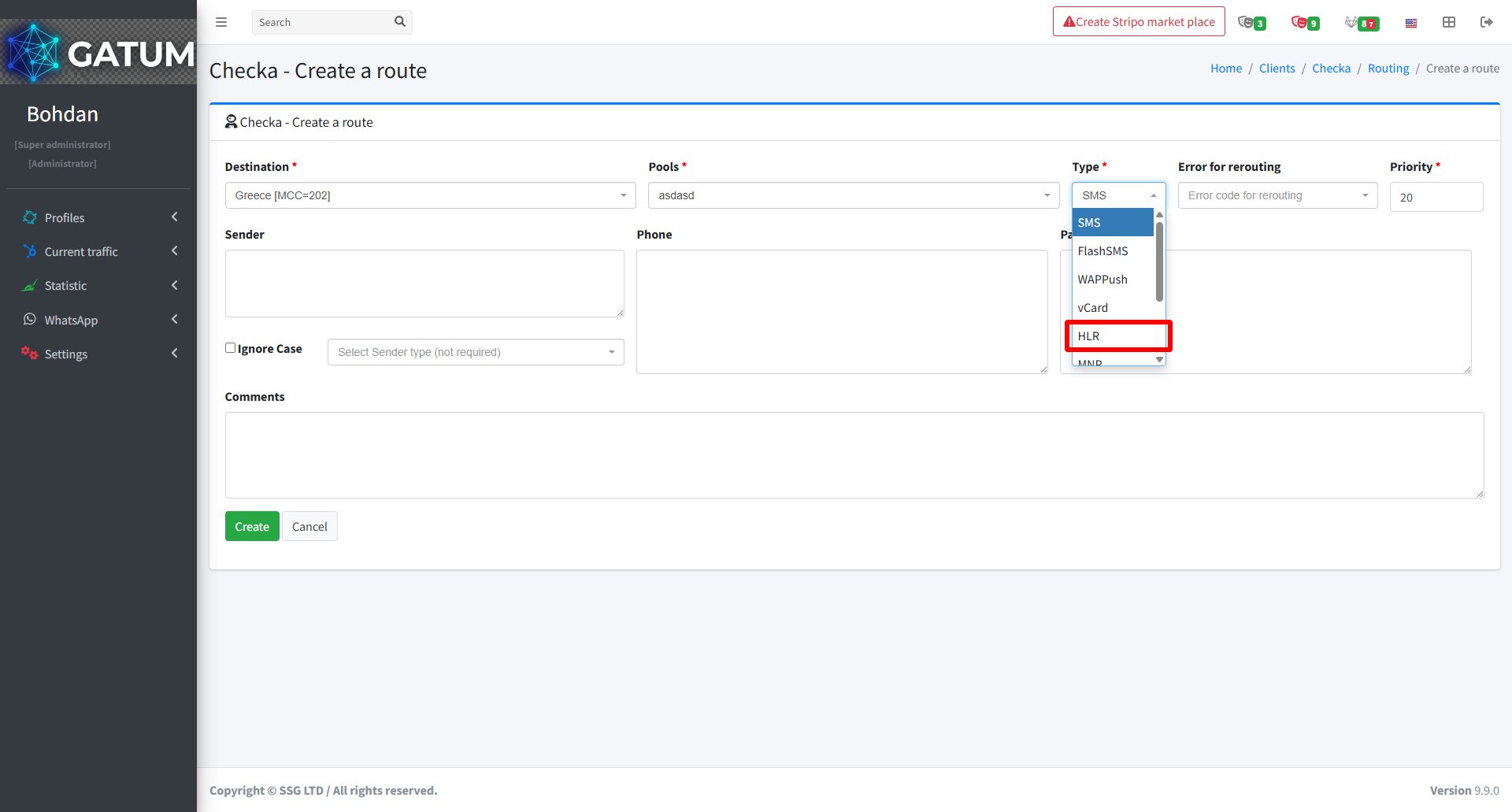
In the window that opens:
Fill in the fields:
Field
Description
Destination
The country or network where HLR checks will run.
Pools
The pool containing the HLR-capable aggregator.
Type
Select HLR.
Priority
The routing priority for this HLR route.
Error for rerouting (optional)
Error codes that trigger fallback to another route.
Click Create.
Step 2: Enable HLR/MNP Checking on the Client Price
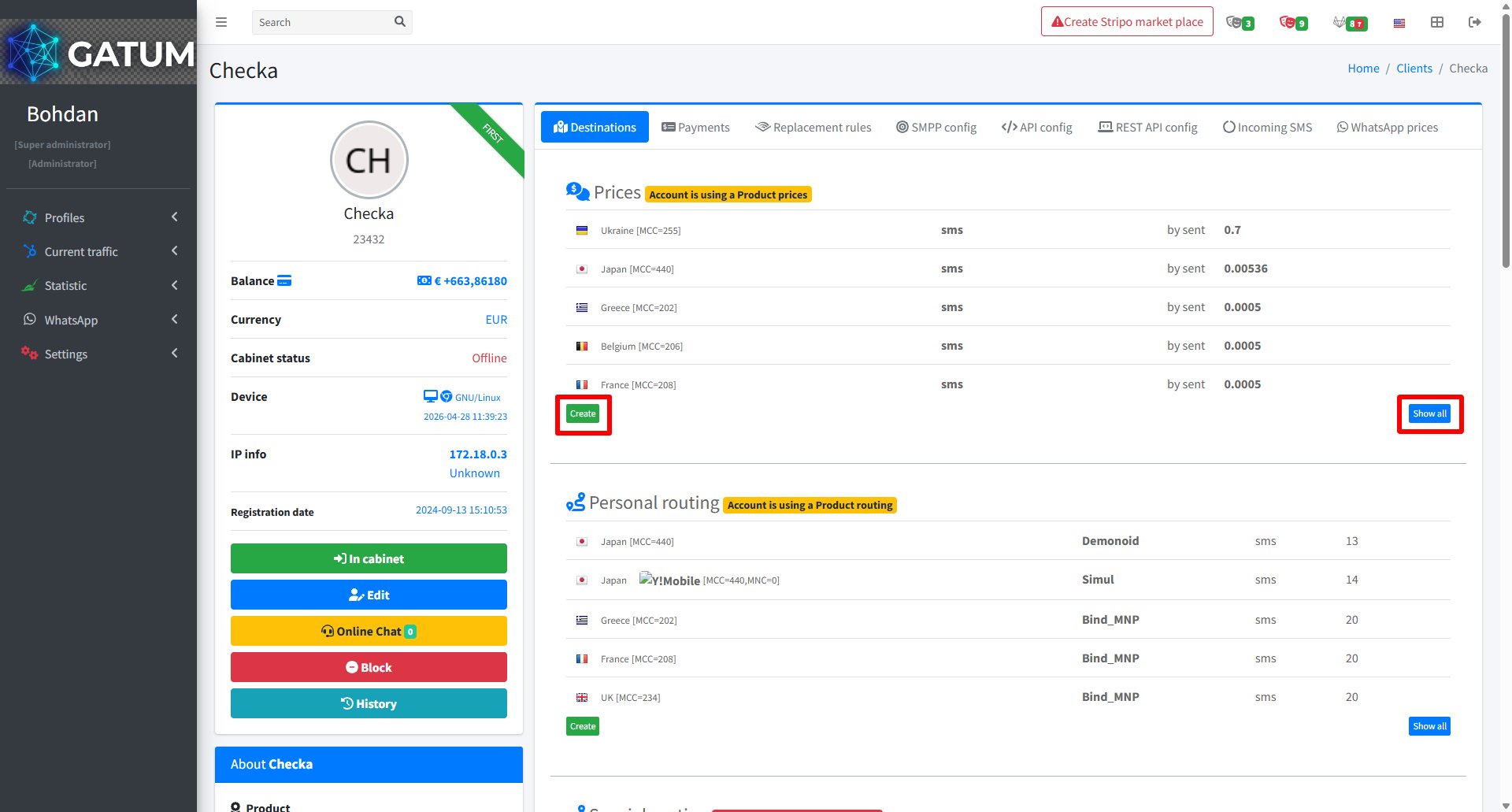
In the Prices section of the client's Destinations tab, click Create to add a new price or Show all to open a full list of prices.
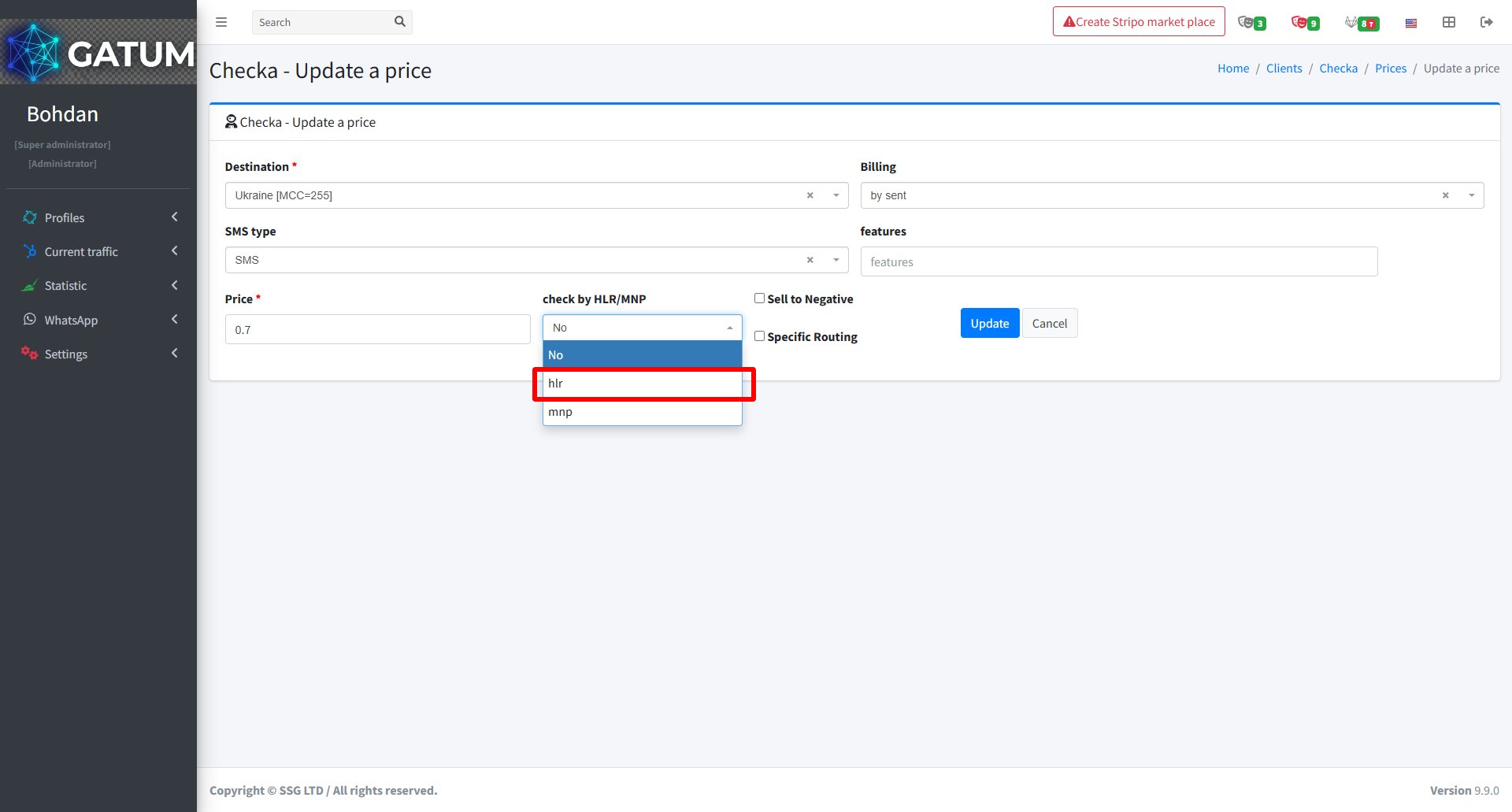
In the window that opens:
Fill in the fields:
Field
Description
Destination
The country or network this price applies to.
SMS type
The message type this price covers.
Price
The per-message price for the client. Should include the HLR lookup cost if using HLR.
check by HLR/MNP
Select hlr to send an HLR request before each SMS, or mnp to check against the local MNP database instead. Leave as No to skip number checking.
Billing
How the client is charged: by sent or by delivered.
Sell to Negative (optional)
Allow sending even if the client's balance is negative.
Specific Routing (optional)
Force routing to a specific aggregator for this destination.
Click Update.
Once saved, every SMS sent by this client to the configured destination will be checked before routing. Note that HLR checking reduces sending speed to approximately 10–50 SMS/sec, so it is best suited for lower-volume traffic. MNP database checking has no impact on sending speed.
When a message is held for review instead of being sent immediately, it means it was caught by one of the platform's moderation mechanisms. Understanding why this happens helps you manage traffic more effectively and configure moderation to match your workflow.
Reason 1:...
Why do SIDs get moderated, and how to set it up?
Sender ID moderation lets you control which sender names your clients can use. When it's enabled, a client can't send SMS with a new sender until you approve it. This helps you keep traffic clean and avoid unexpected sender names going out.
Go...
Why Do SMS Get Into the Waiting List?
When there is not enough balance to send all messages in a campaign, the platform automatically moves the unsent SMS to the Waiting SMS queue instead of dropping them. Once you top up your balance, you can resend them manually.
For example, if...
Cookie declaration last updated on 01/01/2025
This website uses cookies
We use cookies to enhance your browsing experience, provide social media features, and analyze our traffic.
You consent to our cookies if you continue to use our website.