Capitalist is an online payment service that lets your clients top up their balance directly from their web account on the platform. Integrating it through the Marketplace connects Capitalist to your platform so payments flow automatically.
Before You Start
Make sure you have completed moderation on the Capitalist side and received your Merchant ID and secret key.
Connect Capitalist
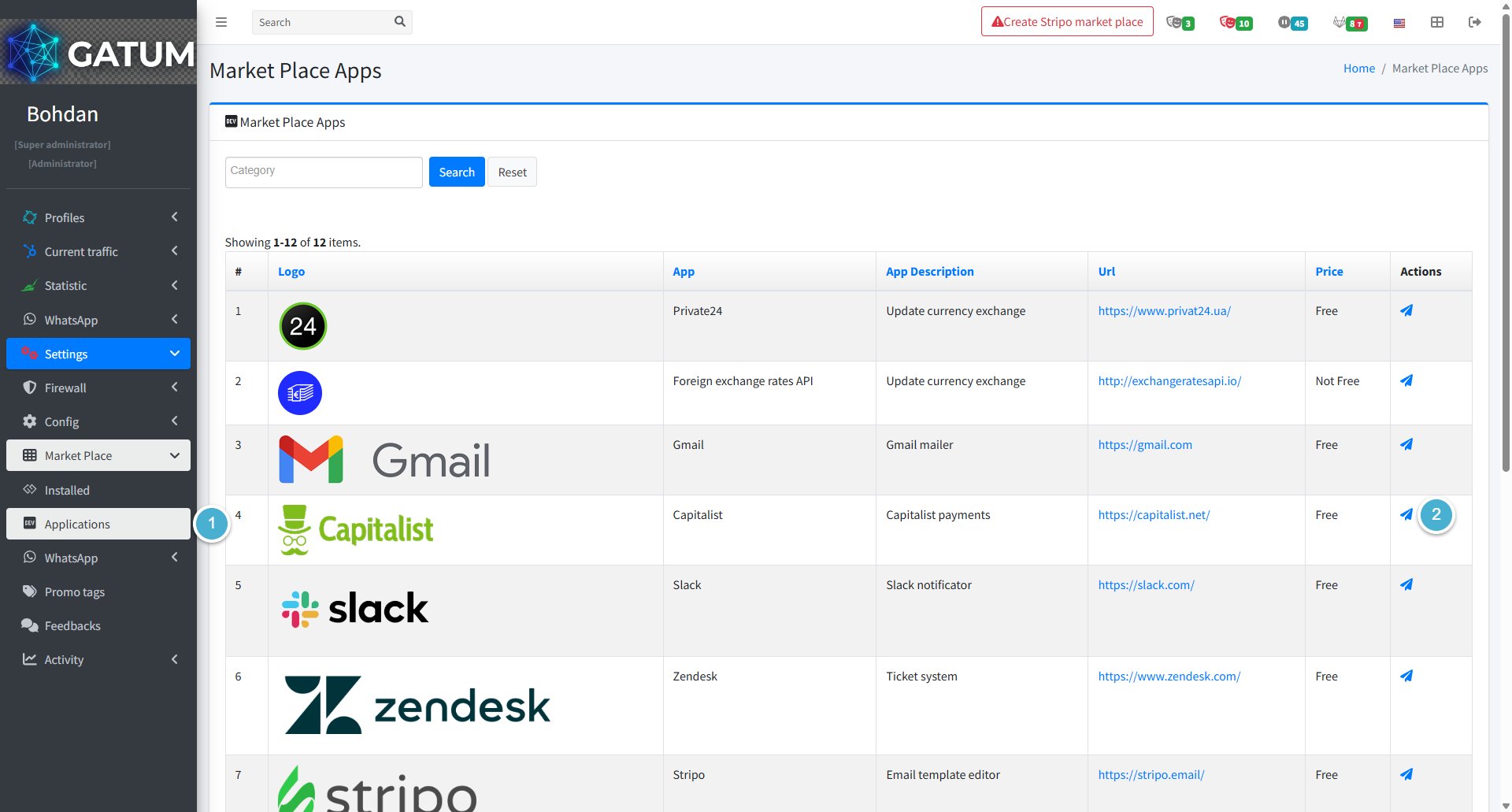
Go to Settings → Market Place → Applications.
In the Capitalist row, click the airplane icon.
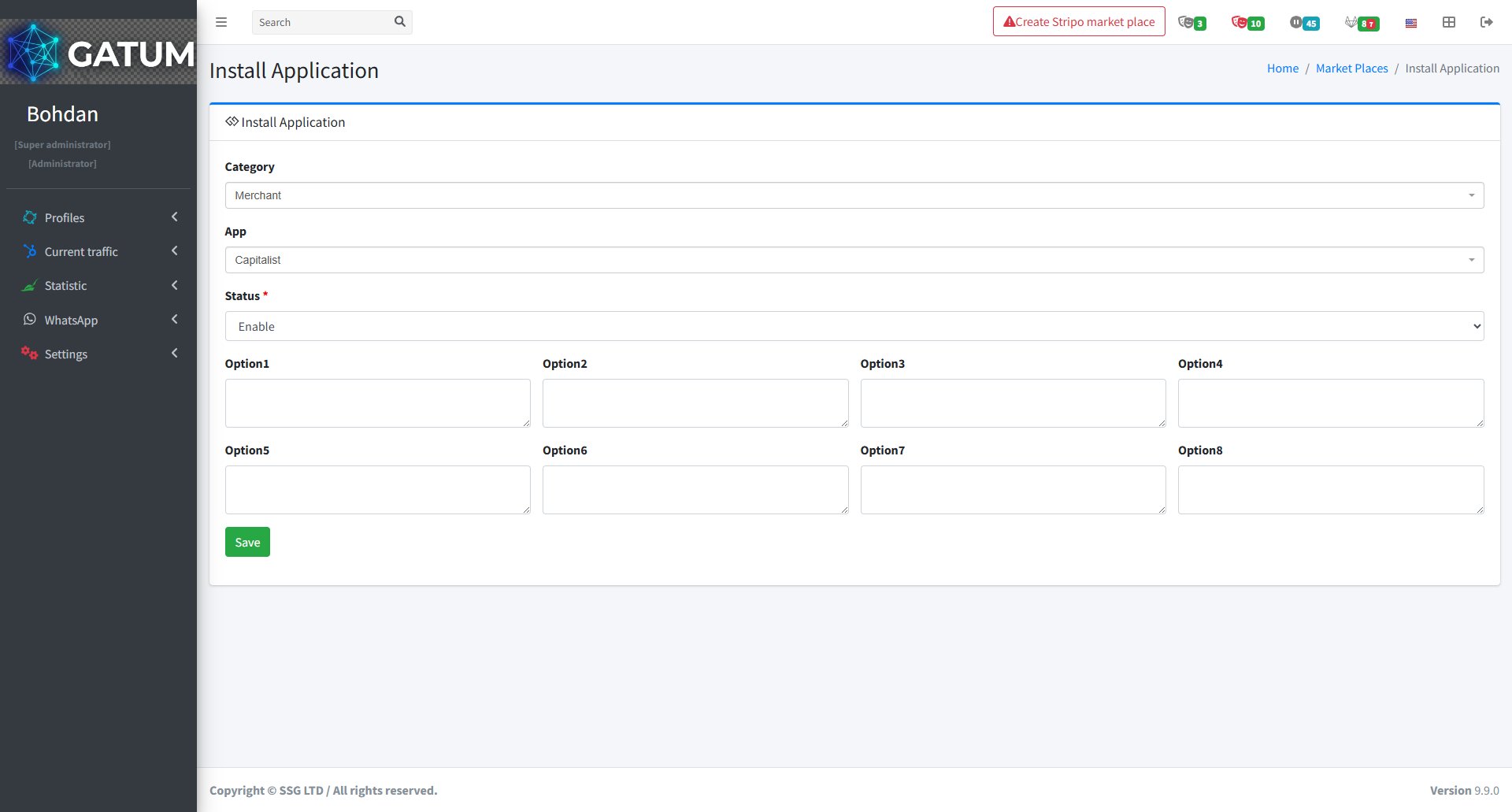
In the window that opens:
Fill in the fields:
Field
Description
Option1
Your Merchant ID — you will get it from Capitalist.
Option2
Your secret key — you will receive it from Capitalist.
Option3
Commission charged to the client for a payment, for example, 2.5.
Option4
Minimum payment amount — must be at least 100.
Option5
The URL where the client will be redirected to enter their card details.
Click Save.
Once saved, Capitalist will be active and your clients will be able to top up their balance through it. You can check active integrations under Settings → Market Place → Installed.
When a message is held for review instead of being sent immediately, it means it was caught by one of the platform's moderation mechanisms. Understanding why this happens helps you manage traffic more effectively and configure moderation to match your workflow.
Reason 1:...
Why do SIDs get moderated, and how to set it up?
Sender ID moderation lets you control which sender names your clients can use. When it's enabled, a client can't send SMS with a new sender until you approve it. This helps you keep traffic clean and avoid unexpected sender names going out.
Go...
Why Do SMS Get Into the Waiting List?
When there is not enough balance to send all messages in a campaign, the platform automatically moves the unsent SMS to the Waiting SMS queue instead of dropping them. Once you top up your balance, you can resend them manually.
For example, if...
Cookie declaration last updated on 01/01/2025
This website uses cookies
We use cookies to enhance your browsing experience, provide social media features, and analyze our traffic.
You consent to our cookies if you continue to use our website.