Sender replacement rules let you automatically swap out a sender name before the message reaches the recipient. When a client sends an SMS with a specific sender, the platform checks if a rule matches and replaces it with the name you've defined. This is useful for destinations where certain sender names are blocked or restricted.
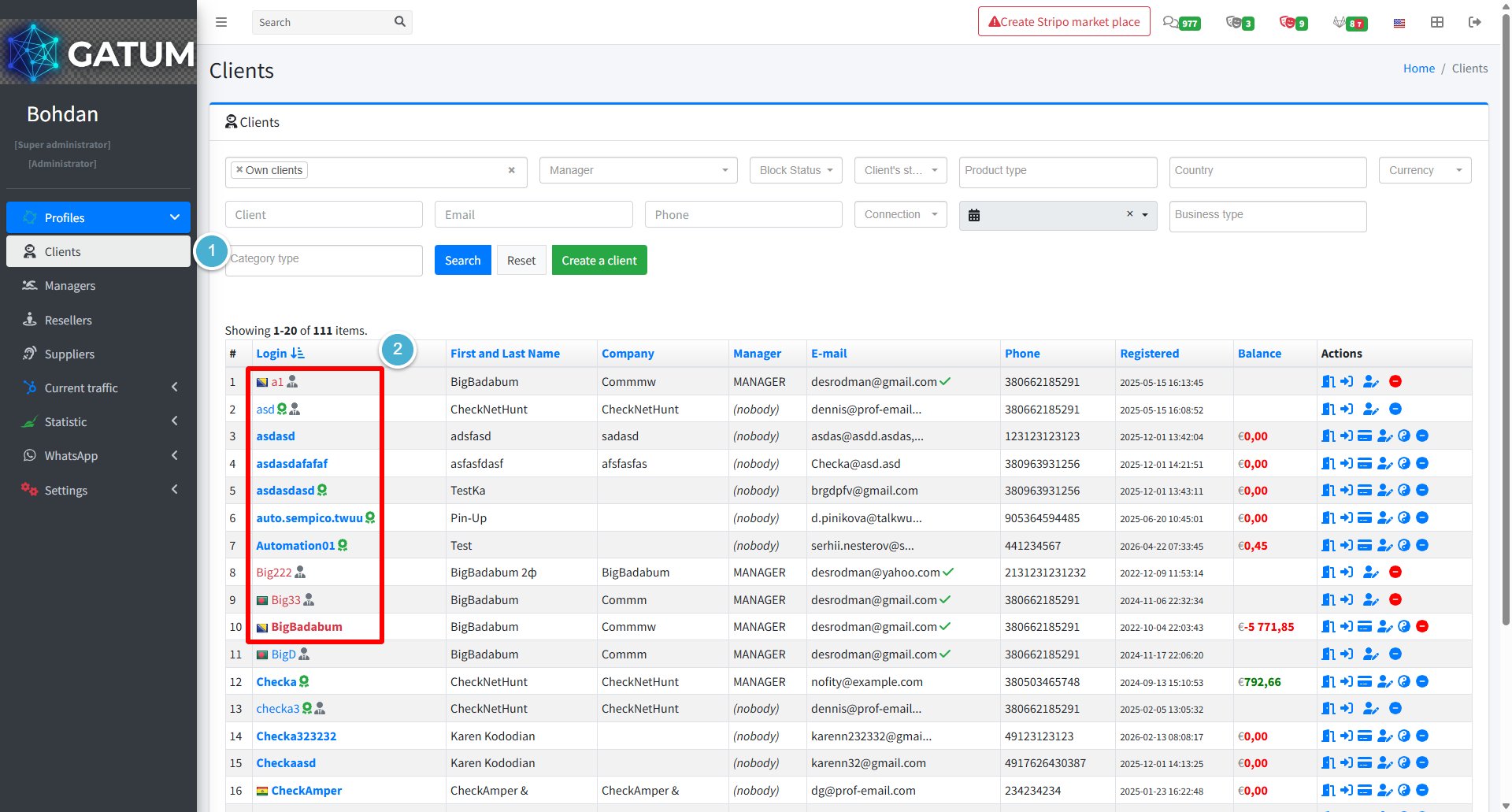
Go to Profiles → Clients.
Click on the client's name.
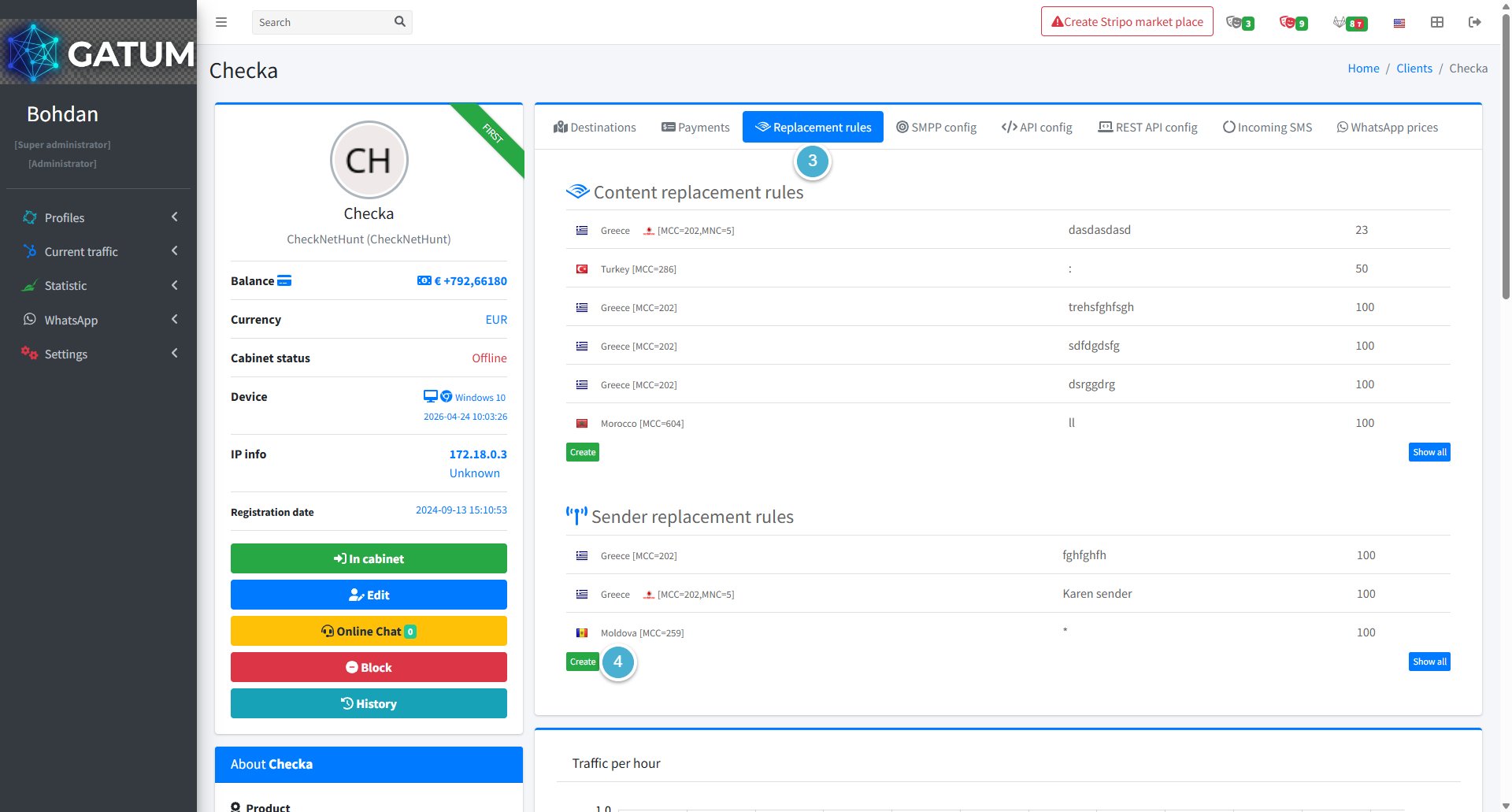
Open the Replacement rules tab.
Click Create in the Sender replacement rules block:
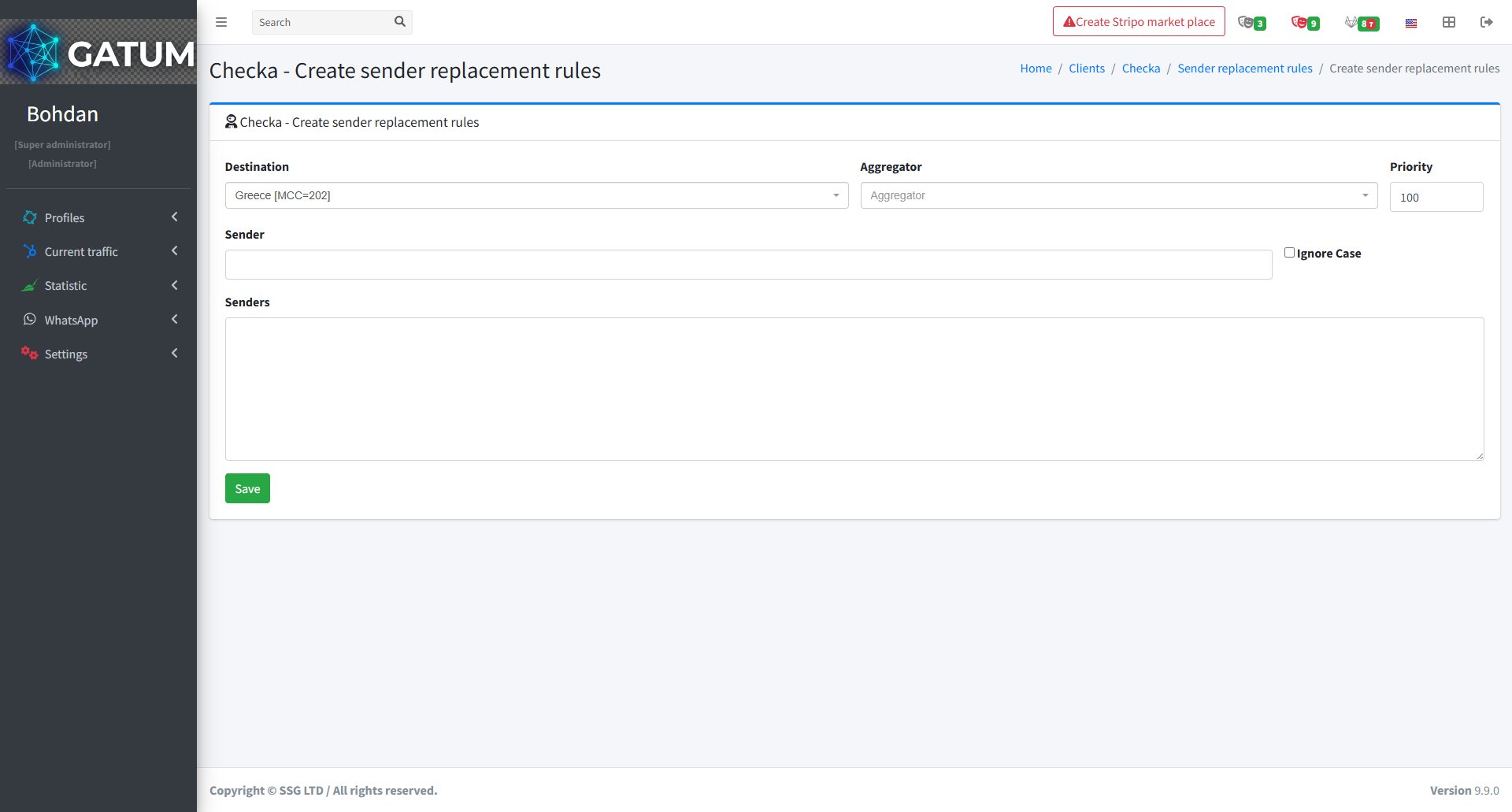
In the window that opens:
Fill in the fields:
Field
Description
Destination
The country or network this rule applies to
Aggregator (optional)
Apply this rule only when sending through a specific aggregator. Leave empty to apply to all aggregators
Priority
Order in which rules are checked — lower number means higher priority
Sender
The sender name to look for in outgoing messages
Senders
The name to replace it with. You can enter multiple names — one per line — and the platform will pick one at random for each message
Ignore Case (optional)
Match the sender name regardless of capitalisation
Click Save.
The rule will apply to all matching outgoing messages from this client from that point on.
When a message is held for review instead of being sent immediately, it means it was caught by one of the platform's moderation mechanisms. Understanding why this happens helps you manage traffic more effectively and configure moderation to match your workflow.
Reason 1:...
Why do SIDs get moderated, and how to set it up?
Sender ID moderation lets you control which sender names your clients can use. When it's enabled, a client can't send SMS with a new sender until you approve it. This helps you keep traffic clean and avoid unexpected sender names going out.
Go...
Why Do SMS Get Into the Waiting List?
When there is not enough balance to send all messages in a campaign, the platform automatically moves the unsent SMS to the Waiting SMS queue instead of dropping them. Once you top up your balance, you can resend them manually.
For example, if...
Cookie declaration last updated on 01/01/2025
This website uses cookies
We use cookies to enhance your browsing experience, provide social media features, and analyze our traffic.
You consent to our cookies if you continue to use our website.