MNP (Mobile Number Portability) status on a prefix tells the platform that phone numbers in this country or network may have been ported to a different operator. When MNP status is active for a destination, the platform uses the highest available price across all operators in that country when importing aggregator prices – ensuring you are always billed at the correct rate regardless of where a number has been ported.
ⓘ Disabling MNP status for a country means aggregator prices will be imported separately per operator (MNC). This can cause billing discrepancies between the platform and your aggregator, because the platform will identify a number's operator by prefix, while your aggregator uses the MNP database. Use this setting only if you fully understand the implications.
Enable or Disable MNP Status for a Prefix
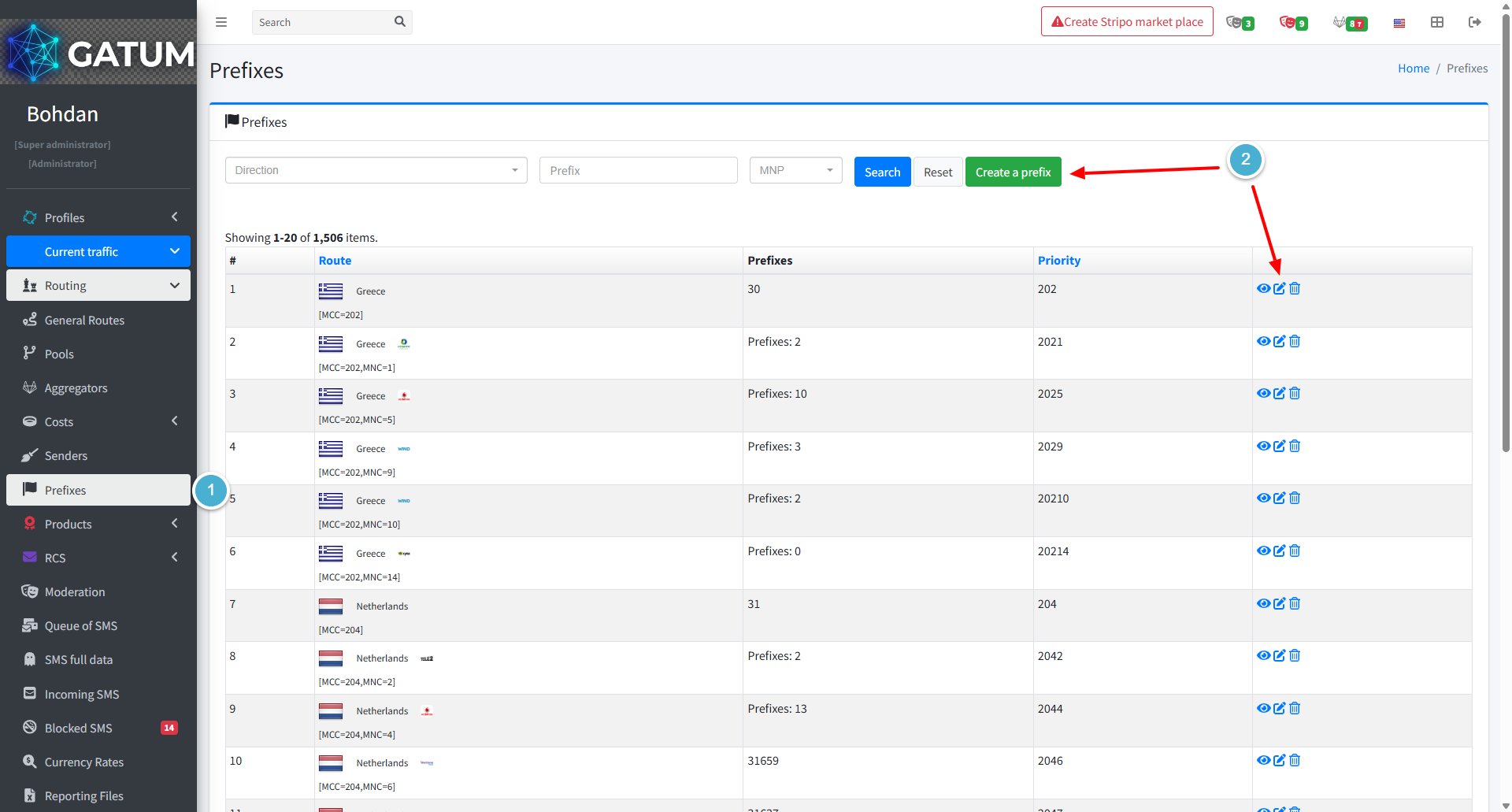
Go to Current traffic → Prefixes.
Click the edit icon next to the prefix you want to update, or click Create a prefix to configure this on a new entry.
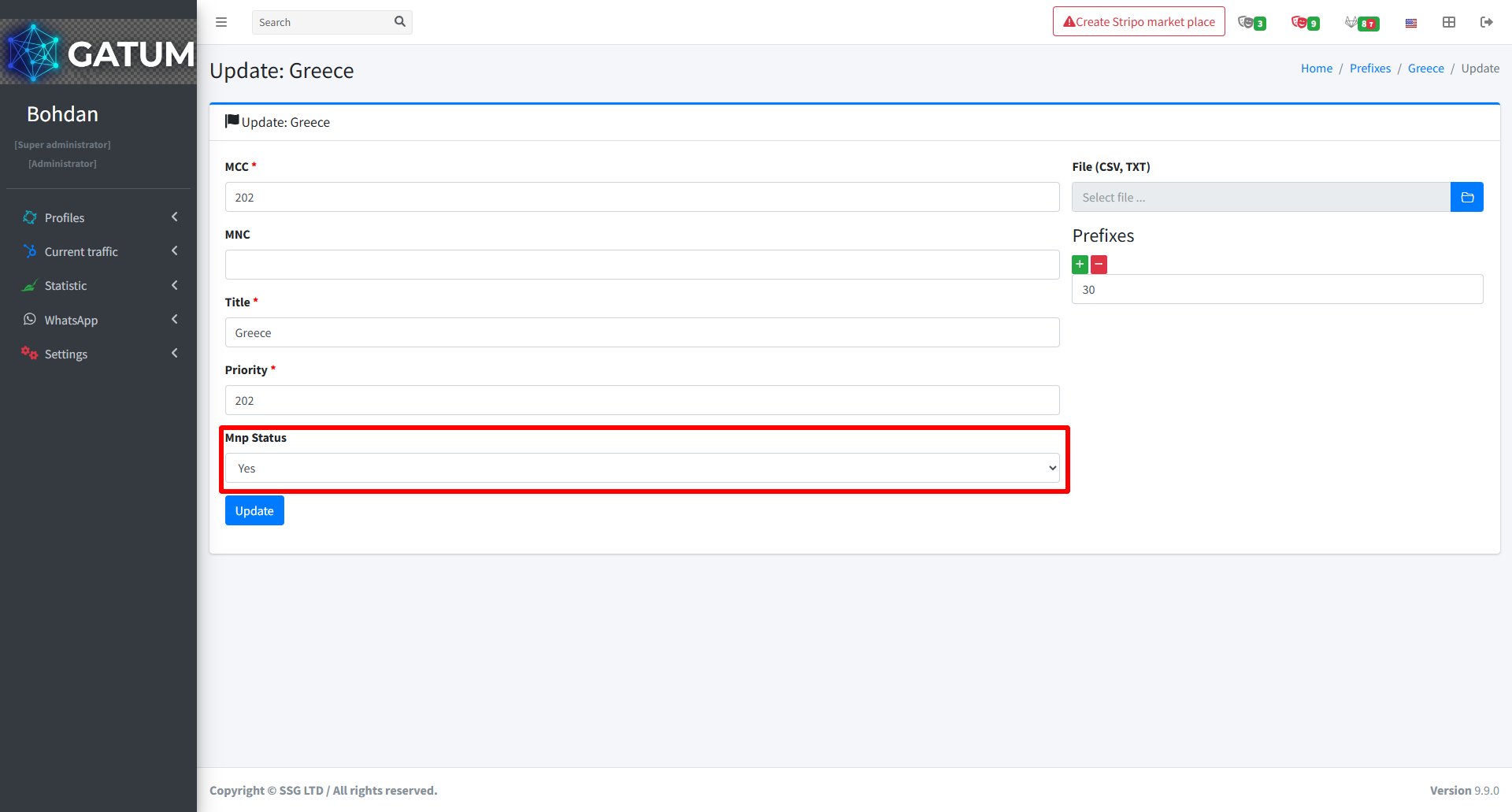
In the window that opens, in the MNP Status field, select Yes to enable MNP for this destination or No to disable it:
Click Update (or Create if creating a new prefix).
Once saved, all subsequent aggregator price imports for this destination will apply the MNP logic accordingly.
When a message is held for review instead of being sent immediately, it means it was caught by one of the platform's moderation mechanisms. Understanding why this happens helps you manage traffic more effectively and configure moderation to match your workflow.
Reason 1:...
Why do SIDs get moderated, and how to set it up?
Sender ID moderation lets you control which sender names your clients can use. When it's enabled, a client can't send SMS with a new sender until you approve it. This helps you keep traffic clean and avoid unexpected sender names going out.
Go...
Why Do SMS Get Into the Waiting List?
When there is not enough balance to send all messages in a campaign, the platform automatically moves the unsent SMS to the Waiting SMS queue instead of dropping them. Once you top up your balance, you can resend them manually.
For example, if...
Cookie declaration last updated on 01/01/2025
This website uses cookies
We use cookies to enhance your browsing experience, provide social media features, and analyze our traffic.
You consent to our cookies if you continue to use our website.