How to Manage the List of Senders of Your Clients?
12.06.2026
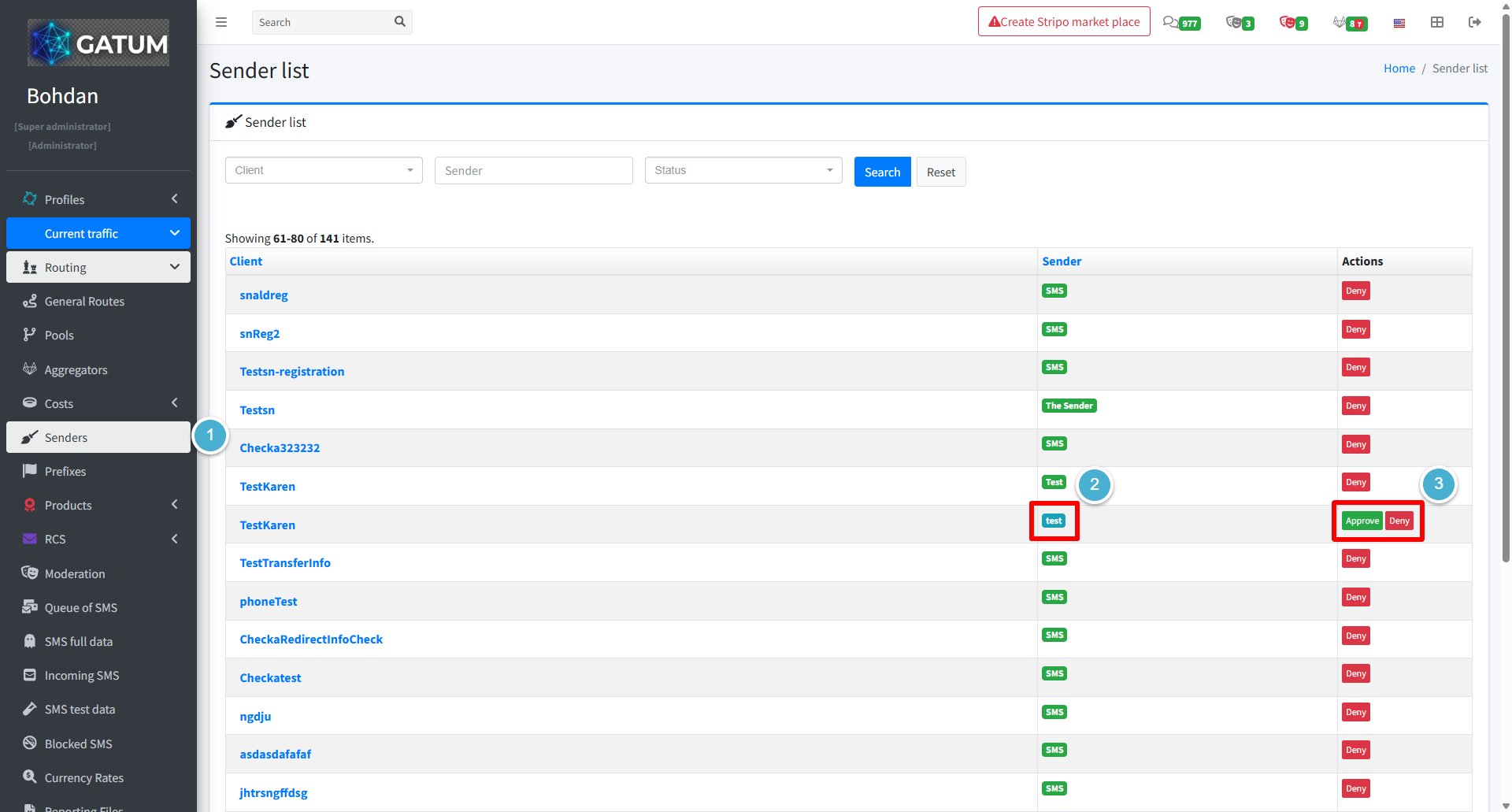
The Sender list shows all sender names that your clients have ever used. You can see their current status at a glance and approve or deny any sender directly from this page — regardless of whether moderation is enabled for that client.
Go to Current Traffic → Senders.
Find the sender you need. You can filter by client name, sender name, or status:
Each sender has a status badge that shows its current state:
Status
Meaning
Green
The sender is approved and can be used
Red / orange
The sender has been denied
Blue
The sender is waiting for your decision
In the Actions column, click Approve or Deny to change the sender's status.
If a sender is waiting for approval, you can also find it in the Senders on moderation section on the Current Traffic → Moderation page.
When a message is held for review instead of being sent immediately, it means it was caught by one of the platform's moderation mechanisms. Understanding why this happens helps you manage traffic more effectively and configure moderation to match your workflow.
Reason 1:...
Why do SIDs get moderated, and how to set it up?
Sender ID moderation lets you control which sender names your clients can use. When it's enabled, a client can't send SMS with a new sender until you approve it. This helps you keep traffic clean and avoid unexpected sender names going out.
Go...
Why Do SMS Get Into the Waiting List?
When there is not enough balance to send all messages in a campaign, the platform automatically moves the unsent SMS to the Waiting SMS queue instead of dropping them. Once you top up your balance, you can resend them manually.
For example, if...
Cookie declaration last updated on 01/01/2025
This website uses cookies
We use cookies to enhance your browsing experience, provide social media features, and analyze our traffic.
You consent to our cookies if you continue to use our website.