
How to Assign a Manager to a Client?

12.06.2026

Each client on the platform can have a manager assigned to them. The manager oversees the client's activity and is responsible for their account. A manager must be assigned before the client can send their own message text.

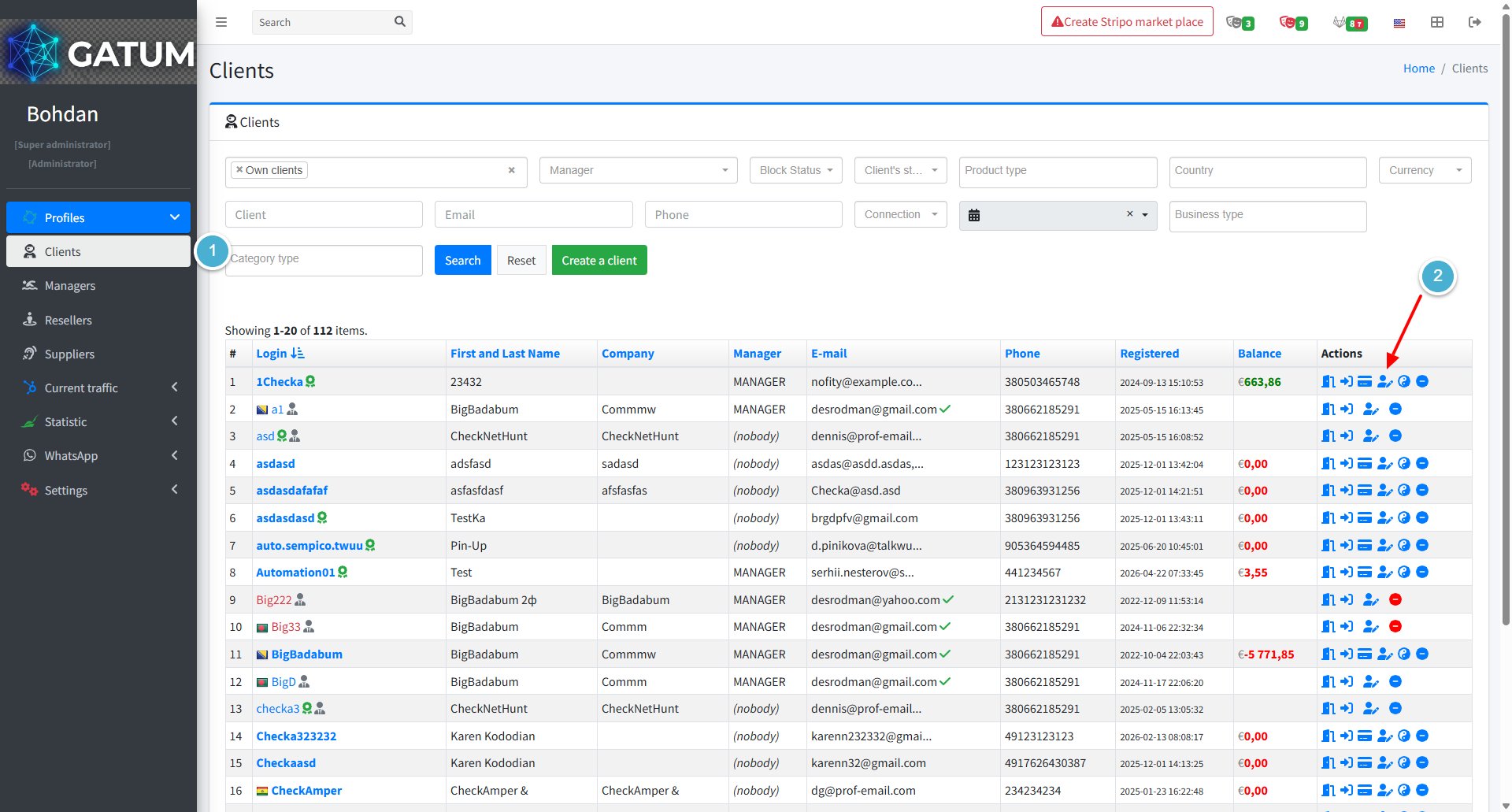
Go to Profiles → Clients.

In the Actions column, click the edit icon next to the client.

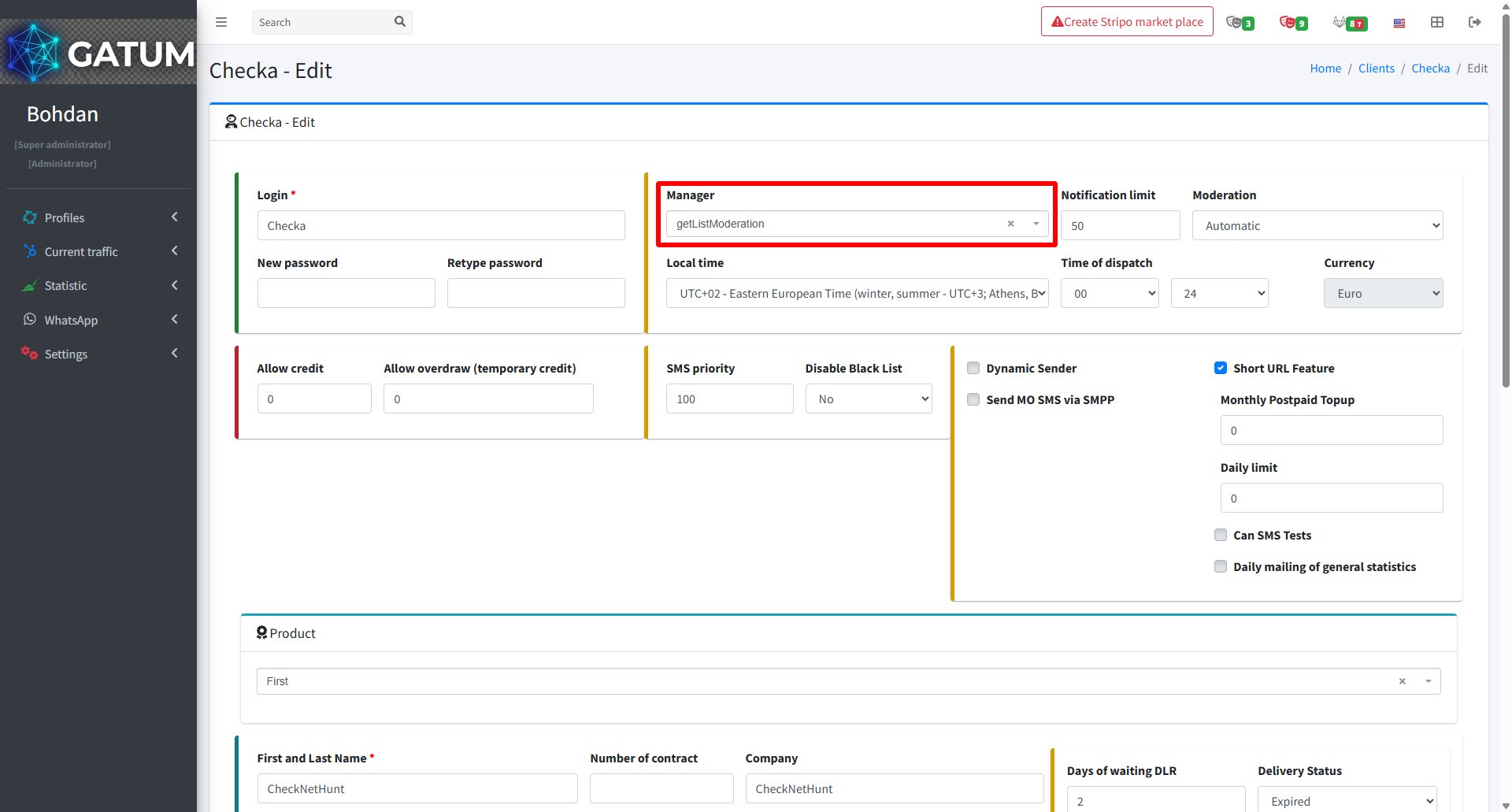
In the window that opens, find the Manager field and select the manager you want to assign from the dropdown.

Click Save.

Once a manager is assigned, the client will be able to send their own message text. Until then, this option is not available to them.