
How to Set Up a Low Balance Alert?

12.06.2026

When a client's balance drops to a certain level, the platform can automatically send them an email notification. You set the threshold yourself — once the balance hits that amount, the client gets notified so they can top up in time.

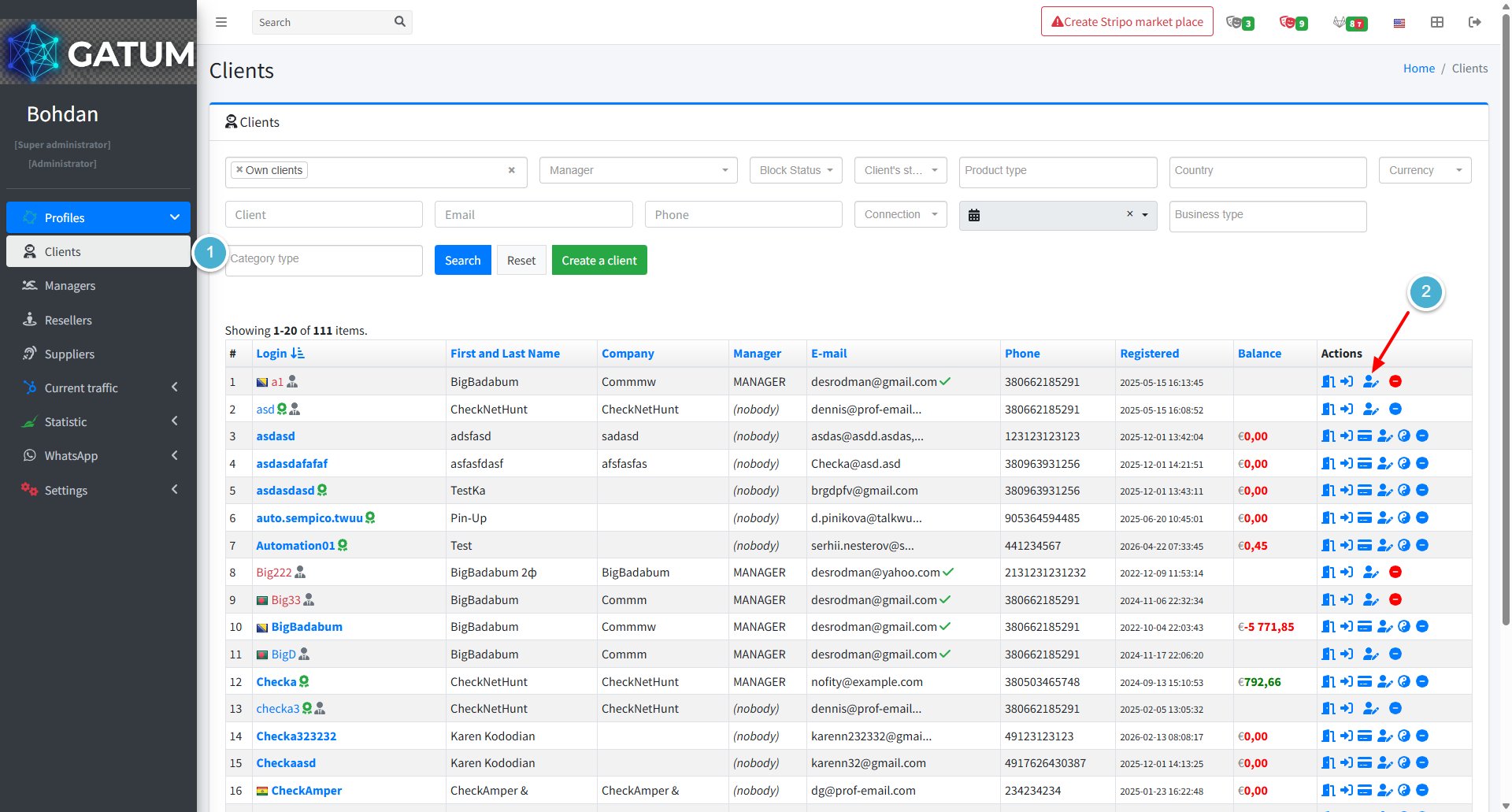
Go to Profiles → Clients.

In the Actions column, click the edit icon next to the client:

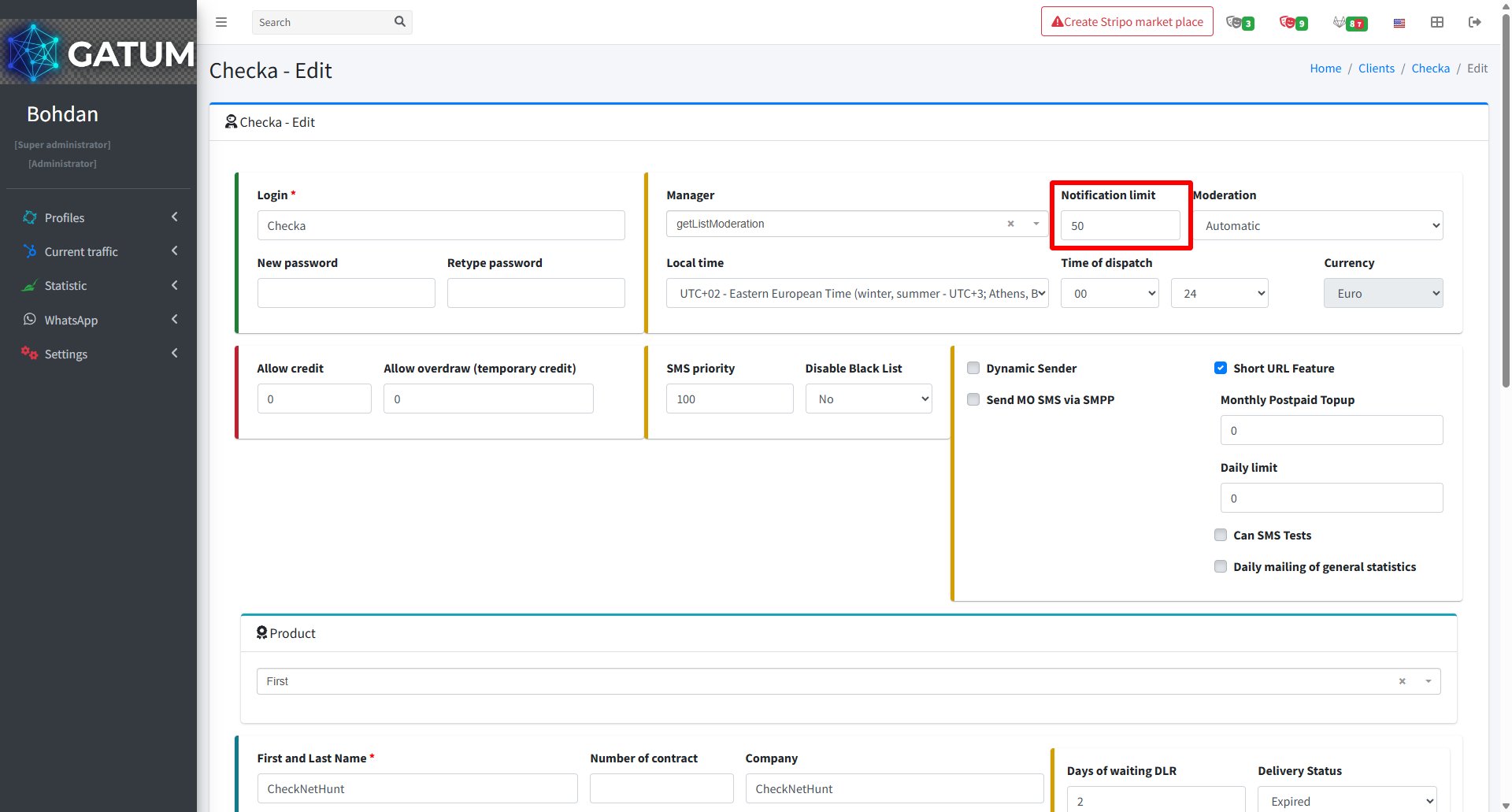
In the window that opens, find the Notification limit field and enter the balance amount at which the notification should be sent. The amount is in the client's currency:

Click Save.

The client will receive an email notification as soon as their balance reaches the amount you set.